
Key facts
- Manuals
- 2
- Languages
- EN
- Last added
- 2023-10-16
Featured Flipper manuals
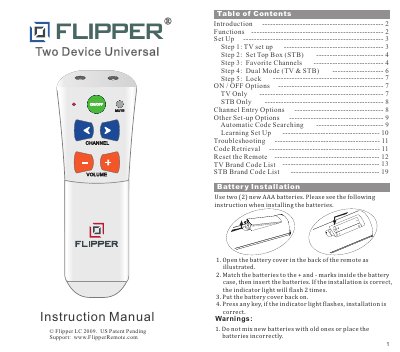
Flipper Two Device Universal Remote Control Instruction Manual
This document is a user instruction manual for the Flipper Two Device Universal Remote Control. It provides step-by-step guidance on installing batteries and setting up the device to operate both a Television (TV) and a Set Top Box (STB). The remote allows users to control power, volume, and channel navigation for both devices simultaneously or independently.
Covers: Battery Installation · Functions Overview · TV Setup · Set Top Box (STB) Setup · Favorite Channels · Dual Mode Operation
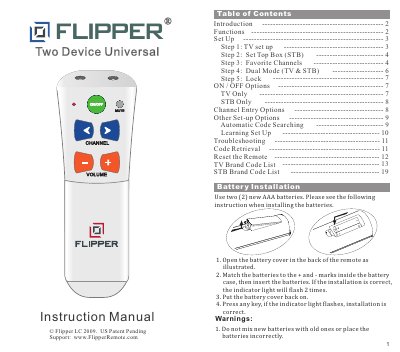
Flipper LC Two Device Universal Remote Control Instruction Manual
This manual provides instructions for the Flipper LC two-device universal remote control, designed to operate both a television and a Set Top Box (STB). It covers essential functions such as power control, volume adjustment, and channel navigation for both devices. The guide explains how to install batteries and program the remote using automatic code searching or manual code entry for various TV and STB brands.
Covers: Battery Installation · TV Set Up · Set Top Box (STB) Set Up · Favorite Channels · Dual Mode · Lock Options
Latest Flipper manuals
Flipper Two Device Universal Remote Control Instruction Manual
User Manual 12 pages · 238 KB · ENInstruction manual for the Flipper Two Device Universal remote control, covering battery installation, setup for TV and STB, favorite channel programming…
Flipper LC Two Device Universal Remote Control Instruction Manual
User Manual 12 pages · 284 KB · ENInstruction manual for the Flipper LC universal remote control, detailing setup for TV and Set Top Box (STB), favorite channel programming, and dual mode…
Which document do I need?
User Manual
Day-to-day operation, settings and troubleshooting. Start here if the product is already set up.
Questions answered in Flipper manuals
How do I install the batteries?
Open the battery cover in the back, match the batteries to the + and - marks inside the case, insert them, and press any key. If correct, the indicator light will flash twice.
From: Flipper Two Device Universal Remote Control Instruction Manual
What does Dual Mode do?
In Dual Mode, the ON/OFF button powers on and off both the TV and STB simultaneously.
From: Flipper Two Device Universal Remote Control Instruction Manual
How do I install the batteries?
Open the battery cover in the back, match the batteries to the + and - marks, insert them, and press any key to verify the indicator light flashes twice.
From: Flipper LC Two Device Universal Remote Control Instruction Manual
How do I set up the remote for my TV?
Prime the remote by holding ADD until the light flashes once then turns solid, enter 954, then enter the 3-digit code for your TV brand.
From: Flipper LC Two Device Universal Remote Control Instruction Manual