
Key facts
- Manuals
- 7
- Languages
- EN
- Last added
- 2023-10-18
Featured EZ Dock manuals
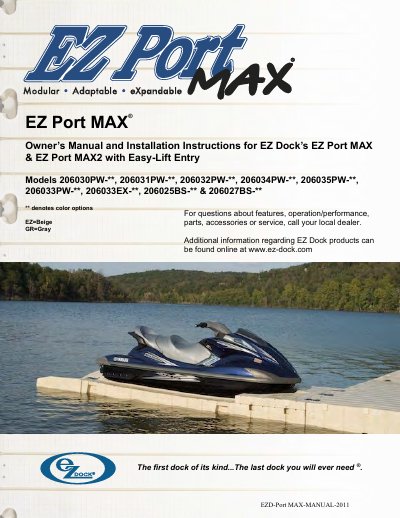
EZ Dock EZ Port MAX Owner's Manual and Installation Instructions
The EZ Dock EZ Port MAX is a modular, adaptable, and durable watercraft port designed for easy maintenance and future expansion. The document serves as an owner's manual and installation guide, covering various models including the EZ Port MAX, EZ Port MAX2, and specific configurations like the Easy-Lift Entry and Integrated Bow sections.
The guide details the necessary tools for assembly, safety precautions regarding drowning hazards during in-water installation, and specific site conditions to consider. It outlines multiple installation methods, such as connecting to an EZ Dock system, anchoring with pipes, or attaching to other floating dock systems using hinge kits. Additionally, it provides instructions for porting, adjusting rollers, and maintaining the unit.
Covers: General Information · Assembly Overview · Tool Requirements · Site Conditions and Usage · Installation Methods · Porting Instructions
EZ Dock EZ Launch Accessible Transfer System Installation Guide
This guide provides step-by-step instructions for installing the EZ Launch Accessible Transfer System. It covers roller removal, entry rail installation, front rail assembly, barrier handrail setup (optional), and connection to floating dock systems using the 100751 hinge kit. Tools and hardware lists are included for professional installation.
Safety and compliance are emphasized throughout. Users are advised to read all instructions carefully, consult the EZ Dock Floating Dock Installation Manual or website for additional details, and follow local site requirements. The document includes diagrams and part numbers for each component.
Covers: Roller Removal · Entry Rail Installation · Front Rail Installation · Barrier Handrail Assembly (Optional) · EZ Launch to Floating Dock Connection · Tools and Hardware Requirements
EZ Dock Floating Docks Owner's Manual
This manual provides step-by-step instructions for installing, anchoring, and maintaining EZ Dock floating docks. It covers site preparation, dock section orientation, anchoring methods (pipe, piling, deadweight, stiff-arm), gangways, accessories, and maintenance. Safety warnings and warranty information are included. The EZ Dock system is designed for durability and ease of use with patented self-floating sections and rubber connections that absorb shock.
The manual includes specifications for various dock sections (e.g., 40" x 10', 60" x 10', 80" x 10') and accessories like gangways, float step ladders, and handrails. It also provides tool requirements, installation tips, and safety precautions, including warnings about drowning hazards during in-water installation.
Covers: General Information and Installation Overview · EZ Dock Specifications · Model/Serial Number · Site Preparation · Dock Section Orientation Coupler and Installation · Selecting Your Anchoring
EZ Dock EZ Trail Installation Instructions
This manual provides instructions for installing the EZ Trail dock system, which is designed for elevated or floating structures. It covers site-specific considerations such as water conditions, soil types, and intended usage (commercial vs. private). The guide details the necessary tools and hardware, including specific pipe sizes and bracket types required for different installation scenarios.
Covers: Installation Site · Coupler Installation · Anchoring Pipe · SD Pipe Bracket Install · HD Pipe Bracket Install · Tools and Requirements
Latest EZ Dock manuals
EZ Dock EZ Port MAX Owner's Manual and Installation Instructions
User Manual 28 pages · 2 MB · ENThis manual provides assembly, installation, and maintenance instructions for the EZ Dock EZ Port MAX and EZ Port MAX2 watercraft ports.
EZ Dock EZ Launch Accessible Transfer System Installation Guide
Installation Guide 22 pages · 7.3 MB · ENInstallation instructions for EZ Dock's EZ Launch accessible transfer system models 500900L, 500900R, 500901L, 500901R, 500890, 500906L, 500906R.
EZ Dock Floating Docks Owner's Manual
User Manual 42 pages · 7.7 MB · ENOwner's manual for EZ Dock floating docks covering installation, anchoring, accessories, and maintenance.
EZ Dock EZ Trail Installation Instructions
Installation Guide 11 pages · 4.2 MB · ENInstallation guide for EZ Dock EZ Trail elevated or floating dock structures, covering site preparation, coupler assembly, and anchoring methods.
EZ Dock Floating Docks Owner's Manual and Installation Instructions
User Manual 54 pages · 9.3 MB · ENThis manual provides installation instructions, anchoring methods, and accessory guides for EZ Dock floating dock sections.
EZ Dock EZ BoatPort Owner's Manual
User Manual 38 pages · 4.9 MB · ENOwner's manual for EZ Dock's EZ BoatPort boat lift systems, covering installation, usage, accessories, and maintenance.
EZ Dock EZ Port MAX Owner's Manual and Installation Instructions
User Manual 27 pages · 9.1 MB · ENThis manual provides assembly, installation, and maintenance instructions for the EZ Port MAX watercraft port models.
Which document do I need?
User Manual
Day-to-day operation, settings and troubleshooting. Start here if the product is already set up.
Installation Guide
Mounting, wiring and first power-up. Read it before the hardware goes in.
Questions answered in EZ Dock manuals
How do I register my warranty?
You can register online at www.ez-dock.com, by using the warranty registration card provided by your dealer, or by filling out the card in the back of this manual.
From: EZ Dock EZ Port MAX Owner's Manual and Installation Instructions
What tools are required to assemble and install the EZ Port MAX?
You generally need an EZ Dock in-water installation tool, a composite coupler installation tool, a 1/2" drive ratchet socket set, wrenches, screwdrivers, pliers, an adjustable wrench, a hammer, a pry-bar, rope, a power drill, a saw, a utility knife, and a tape measure.
From: EZ Dock EZ Port MAX Owner's Manual and Installation Instructions
What models does this installation guide cover?
Models 500900L, 500900R, 500901L, 500901R, 500890, 500906L, 500906R.
From: EZ Dock EZ Launch Accessible Transfer System Installation Guide
What tools are required for installation?
Tools include 1/2” drive ratchet socket set, open-end and boxed-end wrenches, screwdrivers, pliers, hammer, pry-bar, Allen wrenches, power drill, rubber mallet, and EZ Dock In-water Installation Tool.
From: EZ Dock EZ Launch Accessible Transfer System Installation Guide
How do I install the dock sections?
Insert the composite coupler bolt into the coupler, align the mark on the bolt head, seat it with a hammer, and install it using the in-water installation tool. Torque to 15 ft. lbs. and do not over tighten.
What anchoring methods are available?
Pipe anchoring, piling anchoring, deadweight anchoring, and stiff-arm anchoring are available. The choice depends on site conditions and intended use.