
Key facts
- Manuals
- 3
- Languages
- EN
- Last added
- 2023-10-15
Featured Beam manuals
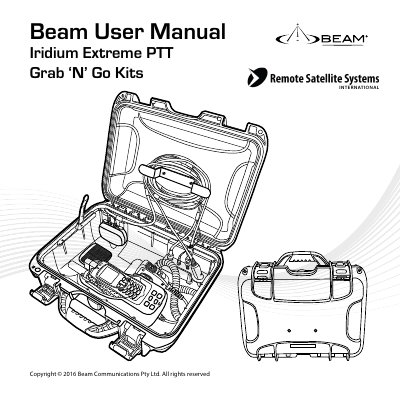
Beam Extreme PTT Grab 'N' Go Kits User Manual
The Iridium Extreme PTT Grab 'N' Go Kits provide a high-quality portable transport solution using the Iridium Extreme PTT Service. These kits combine Beam's Wireless or Corded Push-To-Talk (PTT) Handset Accessory Kit with the Beam Extreme DriveDOCK to extend the power of the Iridium Extreme PTT device to the palm of your hand. The kits are available in large and small cases and are ideal for applications such as Emergency Services, Commercial Transportation, Mining, Defence, and Government operations.
Covers: Conventions in this Manual · Kit Contents · Safety Warnings · Product Overview · Installation · Iridium Extreme PTT Operation
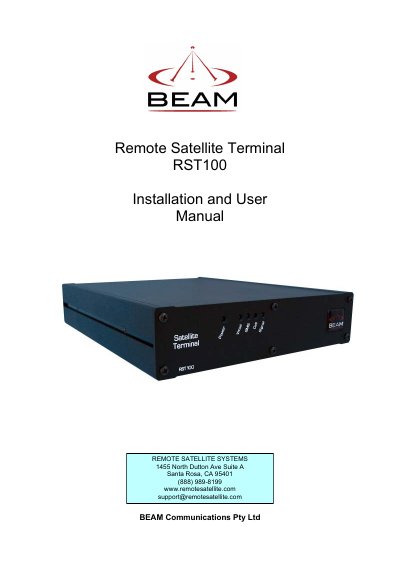
BEAM RST100 Remote Satellite Terminal Installation and User Manual
The BEAM RST100 Remote Satellite Terminal provides a reliable telephone or data service connection via the Iridium satellite network when a wired connection is not available. It emulates the functionality of the Public Switched Telephone Network (PSTN) and allows the connection of standard telephone handsets and other telecommunications devices.
The manual covers package contents, safety information, SIM card installation, mounting options, making phone calls, connecting with a PABX, remote configuration, and troubleshooting. It also includes specification summaries for the terminal and RS232 interface, as well as warranty conditions.
Covers: Package Contents · Safety Information · About the RST100 · Getting Started · Installing & Removing the SIM Card · Installing RST100
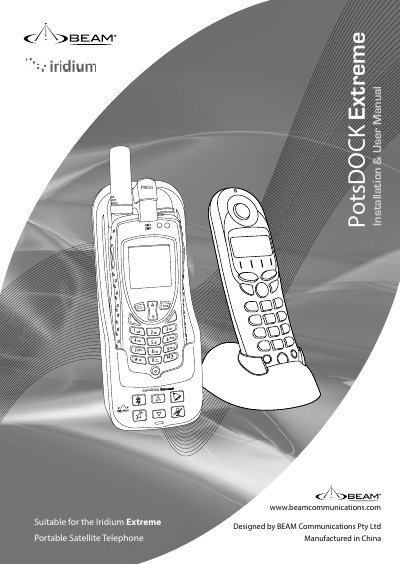
BEAM PotsDOCK Extreme Installation and User Manual
This manual provides installation and usage instructions for the BEAM PotsDOCK Extreme, a docking cradle designed for the Iridium Extreme portable satellite telephone. The document covers package contents, safety warnings regarding explosive atmospheres and RF exposure, and detailed setup procedures.
Covers: Package Contents · Safety Information · Installation Guidelines · PotsDOCK Extreme Usage · Data Communications · Trouble Shooting
Latest Beam manuals
Beam Extreme PTT Grab 'N' Go Kits User Manual
User Manual 35 pages · 3.3 MB · ENThis manual covers the installation and operation of Beam Extreme PTT Grab 'N' Go Kits, including corded and wireless handsets, for use with the Iridium…
BEAM RST100 Remote Satellite Terminal Installation and User Manual
User Manual 33 pages · 770 KB · ENThis manual provides installation and user instructions for the BEAM RST100 Remote Satellite Terminal, a device for voice and data access via the Iridium…
BEAM PotsDOCK Extreme Installation and User Manual
User Manual 64 pages · 5.4 MB · ENInstallation and user guide for the BEAM PotsDOCK Extreme docking cradle for the Iridium Extreme satellite telephone.
Which document do I need?
User Manual
Day-to-day operation, settings and troubleshooting. Start here if the product is already set up.
Questions answered in Beam manuals
What are the different types of PTT cases available?
The kits are available in Corded Push-To-Talk Handset (Large and Small), Wireless Push-To-Talk Handset (Large and Small), and Privacy Handset Push-To-Talk (Large only).
Can the PTT audio be amplified to an external speaker?
Yes, the Beam PTT handset key features include the ability to amplify PTT audio to an external cabin loudspeaker.
What is the warranty period for the BEAM RST100?
The warranty covers defects in material and workmanship for 12 months from the date of shipment.
From: BEAM RST100 Remote Satellite Terminal Installation and User Manual
What happens if my PIN is blocked?
If your PIN is blocked, you must enter the PIN unblocking key (PUK1) or contact your service provider.
From: BEAM RST100 Remote Satellite Terminal Installation and User Manual
What is included in the PotsDOCK Extreme package?
The package includes the docking cradle, AC/DC Power Adaptor, DC Power Cable/Fuse Kit, RAM Mount, Earth Strap, M4 Screws and washers, Quick Start Guide, and User Manual.
What safety precautions are needed for explosive atmospheres?
Turn the phone OFF and do not remove the battery or handset from the cradle in areas with potentially explosive atmospheres to prevent explosion or fire.