
Key facts
- Manuals
- 4
- Models
- 1
- Languages
- ZH · ZH-HANT · EN
- Last added
- 2026-10-25
Audient models by category
Featured Audient manuals
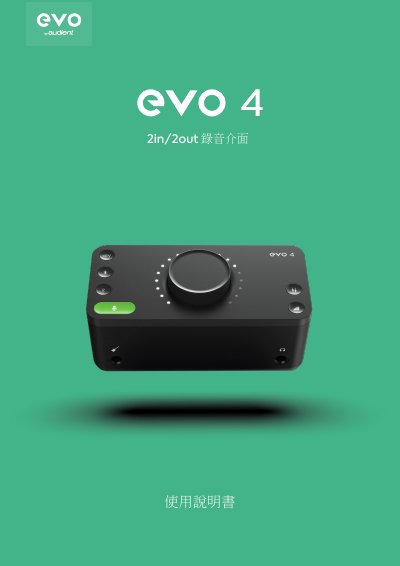
Audient EVO 4 Audio Interface User Manual
The Audient EVO 4 is a compact 2-in/2-out audio interface designed to simplify recording with intelligent gain technology, JFET instrument input, and a powerful headphone amplifier. This manual covers hardware features such as phantom power, stereo linking, and monitor mixing.
It details installation procedures for macOS (driverless), Windows (requires drivers), and iOS devices (requiring active USB hubs). The guide also explains software functions like ASIO buffer settings, sample rate configuration, loopback modes, and firmware updates via the EVO application. This manual is written in Chinese.
Covers: Overview · Safety Information · Installation / Setup · Software Functions · Firmware Update Steps · Warranty Information
Audient iD14 Audio Interface User Manual
The Audient iD14 is a 2-input/6-output USB audio interface featuring two classic Audient console microphone preamps, one discrete JFET instrument input, and dual headphone outputs. It supports high-resolution digital inputs via ADAT or S/PDIF up to 96kHz. This manual is written in Chinese.
Covers: Safety Statement · Mac Installation · Windows Installation · Firmware Update · Microphone & Line Inputs · Instrument Input
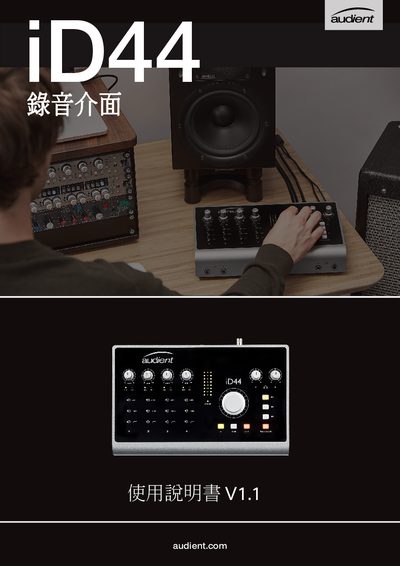
Audient iD44 Audio Interface User Manual
The Audient iD44 is a high-performance 4-in/8-out audio interface designed to provide console-quality microphone preamps and converters. It features four Class A Audient console mic preamps, two JFET instrument inputs, full monitoring capabilities controlled via software, and the innovative ScrollControl mode for intuitive operation. This manual is written in Chinese.
Covers: Product Features · Package Contents · Safety Information · Installation (Mac/Windows) · Hardware Functions · Software Functions
Audient iD4 Digital Audio Interface User Manual
This manual guides users through installing and configuring the Audient iD4 audio interface on macOS, Windows, and iOS. It details hardware features like mic preamps, instrument inputs, and dual headphone outputs. The guide also covers firmware updates, safety precautions, and DAW-specific setup instructions for Logic Pro, Pro Tools, Cubase, and Ableton.
Covers: iD4 Overview · Safety Information · Mac Installation · Windows Installation · iOS Installation · Firmware Update
Latest Audient manuals
Audient EVO 4 Audio Interface User Manual
User Manual 24 pages · 2.2 MB · ZHThis manual provides instructions for installing, setting up, and using the Audient EVO 4 audio interface on Mac, Windows, and iOS devices.
Audient iD14 Audio Interface User Manual
User Manual 24 pages · 8.9 MB · ZH-HANTThis manual provides operating instructions for the Audient iD14 audio interface, covering installation, software updates, input/output settings, and…
Audient iD44 Audio Interface User Manual
User Manual 58 pages · 16 MB · ZHThis manual provides installation, operation, and troubleshooting instructions for the Audient iD44 audio interface.
Audient iD4 Digital Audio Interface User Manual
User Manual 19 pages · 1012 KB · ENUser manual for Audient's iD4 audio interface, covering setup, features, and DAW compatibility.
Which document do I need?
User Manual
Day-to-day operation, settings and troubleshooting. Start here if the product is already set up.
Questions answered in Audient manuals
Does the EVO 4 require drivers on macOS?
No, the EVO 4 will operate immediately on macOS without installing any drivers.
What is required to use the EVO 4 with an iPad?
An active USB Hub is needed because Lightning ports cannot provide enough power.
What are the system requirements for Mac?
macOS 10.11.6 (El Capitan) or later with Intel or Apple Silicon CPU and 1GB RAM minimum.
What are the system requirements for Windows?
Windows 7 or later (32 or 64 bit), Intel Core 2 @ 1.6 GHz or AMD equivalent, and 1 GB RAM minimum.
How many input and output channels does the iD44 report to a computer?
The interface reports having 20 inputs and 24 outputs when connected.
What is the warranty period for the iD44 audio interface?
The product includes a manufacturer's warranty of one year, which equals 12 months.