
Key facts
- Brand
- Xiaomi
- Model
- AC-M3-CA
- Category
- Air Cleaners Purifiers
- Documents
- 2
- Languages
- ZH · EN
- Last added
- 2026-09-29
Start here
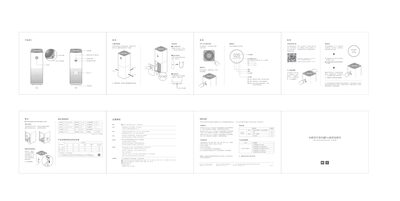
Xiaomi Mi Home AC-M3-CA Air Purifier User Manual
This manual introduces the Mi Home AC-M3-CA air purifier, describing its main features, recommended placement and safety guidelines. It explains how to power on the device, select operating modes, and monitor air quality via the built‑in sensors.
The document also covers detailed procedures for connecting the purifier to the Mi Home app, replacing and resetting the filter, resetting Wi‑Fi, cleaning the unit, and the warranty terms. Technical specifications and hazardous substance information are listed for reference. This manual is written in Chinese.
Xiaomi AC-M3-CA specifications
| Product name | Mi Air Purifier Pro |
|---|---|
| Model | AC-M3-CA |
| Dimensions | 260 × 260 × 735 mm |
| Net weight | approx. 8.0 kg |
| Gross weight | approx. 9.7 kg |
| Rated voltage | 100-240V~ |
| Rated AC frequency | 50/60Hz |
| Rated power | 66W |
| Noise | 69dB(A) |
| CADR (Particle) | 500 m³/h |
| CADR (Formaldehyde) | 70 m³/h |
| Wi-Fi module | IEEE 802.11 b/g/n 2.4GHz |
| Network standby power consumption | <2.0W |
All Xiaomi AC-M3-CA documents by type
Day-to-day operation, settings and troubleshooting. Start here if the product is already set up.
Questions answered in these manuals
How can I connect the air purifier to the Mi Home app?
Download the Mi Home app, open it, go to ‘My Devices’, tap the plus sign and add ‘Mi Home Air Purifier Pro’ to complete the connection.
What should I do if the Wi‑Fi connection fails?
Press and hold the mode button and the screen button together for 5 seconds; a tone will indicate that the Wi‑Fi has been reset.
What model is the Mi Air Purifier Pro?
The model is AC-M3-CA.
How do I reset the Wi-Fi module?
Press and hold the mode and light button simultaneously for 5 seconds; a beeping sound indicates that Wi-Fi has been successfully reset.