
Instruction manual for Mi Air Purifer Pro
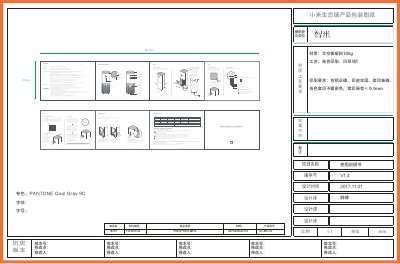
The Mi Air Purifier Pro is an air purifier with model AC-M3-CA. Its front screen shows PM2.5 level, temperature, humidity, operating mode and Wi-Fi status; the air quality indicator uses green, orange and red lights. Operating modes include Auto, Sleep and Favorite.
The manual explains setup, connecting to the Mi Home app, filter replacement every 3 to 6 months, Wi-Fi reset, cleaning the filter cabinet and dust sensor, and specifications. It also includes safety restrictions, an EU declaration of conformity and disposal information.
| Product name | Mi Air Purifier Pro |
|---|---|
| Model | AC-M3-CA |
| Dimensions | 260 × 260 × 735 mm |
| Net weight | approx. 8.0 kg |
| Gross weight | approx. 9.7 kg |
| Rated voltage | 100-240V~ |
| Rated AC frequency | 50/60Hz |
| Rated power | 66W |
| Noise | 69dB(A) |
| CADR (Particle) | 500 m³/h |
| CADR (Formaldehyde) | 70 m³/h |
| Wi-Fi module | IEEE 802.11 b/g/n 2.4GHz |
| Network standby power consumption | <2.0W |
The model is AC-M3-CA.
Press and hold the mode and light button simultaneously for 5 seconds; a beeping sound indicates that Wi-Fi has been successfully reset.
Replace the filter every 3 to 6 months.
After replacing the filter, turn on the unit and press and hold the rear button for 6 seconds until you hear a beep.