
Key facts
- Brand
- Wincor Nixdorf
- Model
- BA60
- Documents
- 2
- Languages
- EN · ZH
- Last added
- 2023-10-18
Start here
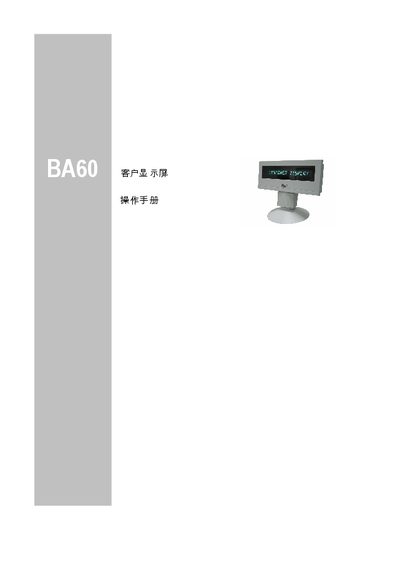
Wincor Nixdorf BA60 Customer Display Screen User Manual
The Wincor Nixdorf BA60 is a modular customer display screen designed for Point of Sale (POS) installations. It features a vacuum fluorescent display (VFD) capable of showing 16 alphanumeric characters per line in green. The device connects to the sales system via an RS232C interface, which also provides 12V DC power. This manual is written in Chinese.
Read onlineWincor Nixdorf BA60 specifications
| Display Technology | Vacuum Fluoreszenz Display (VFD) |
|---|---|
| Display Color | Green |
| Interface | RS232C, asynchronous full duplex operation |
| Voltage Supply | 12V +/- 10 % with max. 200 mA peak current : 400 mA |
| Dimensions | Height (with base): 165 mm, Width: 206 mm, Depth: 46 mm |
| Weight | 0.5 kg |
Source: Wincor Nixdorf BA60 Customer Display Operating Manual
All Wincor Nixdorf BA60 documents by type
Day-to-day operation, settings and troubleshooting. Start here if the product is already set up.
Questions answered in these manuals
How is the BA60 connected to a POS system?
It connects via an RS232C interface, with 12V power supplied through the same interface.
What is the warranty period for the BA60?
Wincor Nixdorf guarantees a limited warranty for 12 months beginning with the date of delivery.
What is the warranty period for the BA60 customer display?
Wincor Nixdorf guarantees the equipment for 12 months from the delivery date.
From: Wincor Nixdorf BA60 Customer Display Screen User Manual
How do I connect the BA60 to the sales system?
Connect the 9-pin D connector of the cable to the COM interface of the sales system.
From: Wincor Nixdorf BA60 Customer Display Screen User Manual