
Key facts
- Brand
- Verkada
- Model
- CH52-E
- Category
- Security Software
- Industry
- Electronics
- Documents
- 2
- Languages
- EN
- Last added
- 2026-11-22
Start here
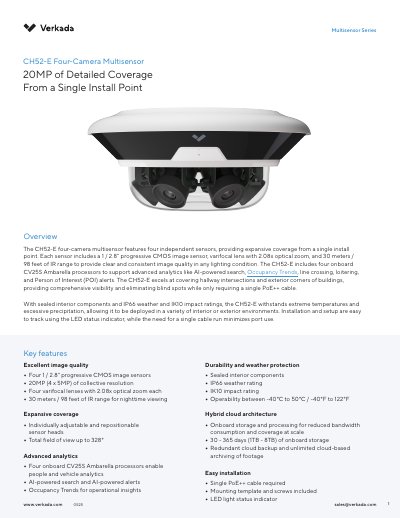
Verkada CH52-E Four-Camera Multisensor
The Verkada CH52-E is a four-camera multisensor designed for wide-area coverage from a single installation point. It features four 1/2.8" progressive CMOS sensors with 2.08x optical zoom and 30m IR range for clear imaging in any lighting. Equipped with onboard CV25S Ambarella processors, it supports AI-powered analytics like person detection and occupancy trends. Built for durability with IP66 and IK10 ratings, it operates from -40°C to 50°C. Installation is simplified with a single PoE++ cable and LED status indicators.
The device includes 1TB–8TB onboard storage and hybrid cloud backup. Sensor heads are individually adjustable for up to 328° total field of view. It supports H.265/H.264 compression, adaptive quality recording, and is compatible with Verkada’s cloud platform for scalable deployment.
Verkada CH52-E specifications
| Image Sensor | 4 x 1/2.8" progressive CMOS |
|---|---|
| Resolution | 20MP (4 x 5MP) |
| Lens | Varifocal; motorized zoom |
| IR Range | 30 meters / 98 feet |
| Processor | 4 x Ambarella CV25S |
| Storage | 1TB to 8TB onboard |
| Weather Rating | IP66 |
| Impact Rating | IK10 |
| Operating Temperature | -40°C to 50°C |
| Power Input | PoE++ (IEEE 802.3bt Type 3) |
| Field of View | Up to 328° |
All Verkada CH52-E documents by type
Mounting, wiring and first power-up. Read it before the hardware goes in.
Questions answered in these manuals
What is the IR range of the CH52-E?
30 meters / 98 feet of IR range for nighttime viewing.
How many onboard processors does the CH52-E have?
Four onboard CV25S Ambarella processors.
What is in the box with the Verkada CH52-E Multisensor Camera?
The box includes the CH52-E Multisensor Camera, IR cover, mounting template, two desiccants, T10 security screwdriver, three M5 mounting screws, three wall anchors, and an offset wrench.
How do I register the CH52-E camera?
Scan the QR code on the product for easy registration and setup. To register manually, go to verkada.com/start.