
Key facts
- Brand
- UBIQUITI NETWORKS
- Model
- US-16-150W
- Category
- Other Electronics
- Documents
- 2
- Languages
- EN
- Last added
- 2026-10-29
Start here
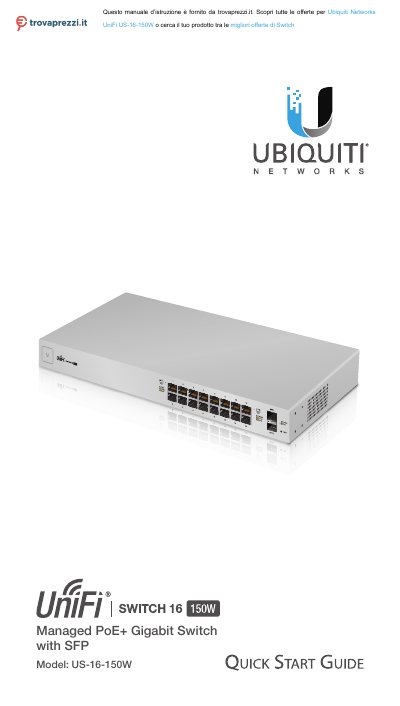
Ubiquiti Networks US-16-150W Managed PoE+ Gigabit Switch Quick Start Guide
The document serves as a Quick Start Guide for the Ubiquiti Networks UniFi US-16-150W, a managed PoE+ Gigabit Switch with SFP ports. It details package contents, system requirements including operating systems and browser compatibility, and network topology prerequisites such as DHCP and controller software versions.
Read onlineUbiquiti Networks US-16-150W specifications
| Interfaces (RJ45) | (16) 10/100/1000 Mbps RJ45 Ports |
|---|---|
| Interfaces (SFP) | (2) 1 Gbps SFP Ports |
| Total Non-Blocking Line Rate | 18 Gbps |
| Max. Power Consumption | 150W |
| Power Method | 100-240VAC/50-60 Hz, Universal Input |
| Operating Temperature | -5 to 40° C (23 to 104° F) |
| Dimensions | 443 x 43 x 221 mm (17.44 x 1.69 x 8.70") |
| Weight With Mount Brackets | 2.80 kg (6.17 lb) |
Source: Ubiquiti Networks US-16-150W Managed PoE+ Gigabit Switch Quick Start Guide
All Ubiquiti Networks US-16-150W documents by type
The shortest path to a working setup, usually only a few pages.
Questions answered in these manuals
What is the minimum UniFi Controller software version required?
The document requires UniFi Controller software v4.8.5 or newer.
From: Ubiquiti Networks US-16-150W Managed PoE+ Gigabit Switch Quick Start Guide
What type of Ethernet cabling is recommended for indoor applications?
For indoor applications, use Category 5 (or above) UTP cabling approved for indoor use.
From: Ubiquiti Networks US-16-150W Managed PoE+ Gigabit Switch Quick Start Guide
What are the system requirements for managing this switch?
The system requires Linux, Mac OS X, or Microsoft Windows 7/8/10 with Java Runtime Environment 1.6 (or newer) and a web browser like Google Chrome.
From: Ubiquiti Networks US-16-150W Managed PoE+ Gigabit Switch Quick Start Guide
What is the function of the Reset button?
Pressing and releasing it quickly restarts the device, while holding it for more than five seconds restores factory default settings.
From: Ubiquiti Networks US-16-150W Managed PoE+ Gigabit Switch Quick Start Guide