
Key facts
- Brand
- TrekStor
- Model
- DataStation picco SSD 3.0
- Category
- Storage devices
- Documents
- 2
- Languages
- EN
- Last added
- 2026-09-29
Start here
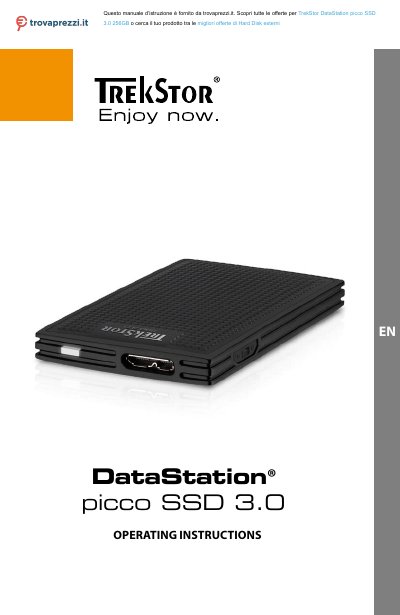
TrekStor DataStation picco SSD 3.0 Operating Instructions
This document provides operating instructions for the TrekStor DataStation picco SSD 3.0, an external solid-state drive with a USB 3.0 interface designed for storing and accessing data on Windows and Mac computers. The device is available in versions with or without a write-protection switch to secure stored files.
Read onlineTrekStor DataStation picco SSD 3.0 specifications
| Interface | 1 x SuperSpeed Micro‑USB 3.0 socket |
|---|---|
| Color | Black |
| Dimensions (W × H × D) | 50 mm × 10 mm × 84 mm |
| Weight | ≈ 36 g (device only) |
| Storage capacity | 120 GB / 128 GB / 240 GB / 256 GB / 512 GB / 1 TB |
| Maximum write speed | 280 MB/s |
| Maximum read speed | 450 MB/s |
| Housing material | Plastic |
| Operation orientation | Horizontal, Vertical |
All TrekStor DataStation picco SSD 3.0 documents by type
Day-to-day operation, settings and troubleshooting. Start here if the product is already set up.
Questions answered in these manuals
What is the maximum read speed of the DataStation picco SSD 3.0?
The SSD can read data at up to 450 MB/s.
What are the dimensions and weight of the device?
The SSD measures 50 × 10 × 84 mm and weighs about 36 g without accessories.
What is the warranty period for this device?
The statutory warranty period for consumer products is 24 months.
From: TrekStor DataStation picco SSD 3.0 Operating Instructions
Can I use a USB cable longer than 3 meters?
No, avoid using USB cables over 3 m in length to prevent data transfer interruptions.
From: TrekStor DataStation picco SSD 3.0 Operating Instructions