
Key facts
- Brand
- TC Electronic
- Model
- BMC-2
- Category
- Converter
- Industry
- Electronics
- Documents
- 2
- Languages
- ES · EN
- Last added
- 2026-11-11
Start here
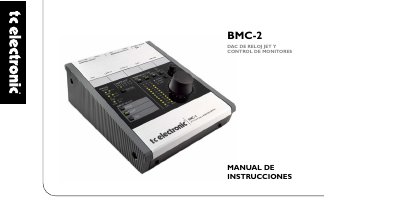
TC Electronic BMC-2 Digital-to-Analog Converter and Monitor Controller User Manual
The BMC-2 is a dedicated digital-to-analog converter and monitor controller for audio production and monitoring systems. TC Electronic states that this desktop unit can also be used without a computer, and it supports both digital and analog monitoring.
It accepts three digital input sources—S/PDIF/AES3, TOS and ADAT—and can feed analog speakers, digital speakers and headphones. The front panel includes input selection, status LEDs, an ADAT select button, a REF button and a rotary control; the rear panel provides headphone, analog, TOS/ADAT and S/PDIF connections. JET technology is used for jitter rejection, and the manual includes configuration examples, wiring diagrams, calibrated listening information and technical specifications. This manual is written in Spanish.
TC Electronic BMC-2 specifications
| Dimensions (W x H x D) | 140 x 64 x 176 mm (5.5" x 2.5" x 6.9") |
|---|---|
| Weight | 0.82 kg (1.8 lb.) |
| Power supply | 12 V DC, < 8.4 W |
| Internal sample rate | 48 kHz |
| External sample rates | 43 to 97 kHz |
| S/PDIF connector | RCA, includes BNC adapter, 75 Ohm, 1 Vpp (terminated) |
| S/PDIF formats | S/PDIF (24-bit), IEC 958, professional status bits |
| ADAT format | Channels 1 to 4 @ 48 kHz, channels 1 to 4 SMUX @ 96 kHz |
| Line output connectors | Balanced XLR with ground sensing |
| Maximum line output level | +13 dBu, -5 dBu with DIM activated |
| Line THD | < -93 dB (0.002%) @ 1 kHz, -1 dBFS, gain 0 dB |
| Dynamic range | > 118 dB (121 dB A-weighted), 20 Hz to 20 kHz |
| D/A conversion | 24-bit, 128x oversampling |
| Headphone connector | 6.3 mm stereo jack, 80 Ohm |
Source: TC Electronic BMC-2 Digital-to-Analog Converter and Monitor Controller User Manual
All TC Electronic BMC-2 documents by type
Day-to-day operation, settings and troubleshooting. Start here if the product is already set up.
Questions answered in these manuals
What digital inputs does the BMC-2 support?
It supports three digital input sources: S/PDIF/AES3, TOS and ADAT.
From: TC Electronic BMC-2 Digital-to-Analog Converter and Monitor Controller User Manual
Can the BMC-2 be used without a computer?
Yes. TC Electronic states that the desktop unit can be used without a computer; just connect the power adapter.
From: TC Electronic BMC-2 Digital-to-Analog Converter and Monitor Controller User Manual
How do you select ADAT channel pairs?
Press the ADAT button briefly to toggle between ADAT channel pairs 1‑2 and 3‑4.
From: TC Electronic BMC-2 JET Clock DAC & Monitor Control User Manual
How can you tell if inputs are synchronous?
When the LOCK LEDs are steady, the inputs are synchronous; when they blink, the inputs are not synchronous.
From: TC Electronic BMC-2 JET Clock DAC & Monitor Control User Manual