
The TC Electronic BMC-2 manual explains setup, operation, and specifications for the JET Clock DAC and monitor control unit.
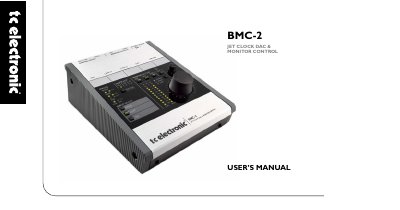
The BMC-2 is a desktop digital‑to‑analog converter with integrated monitor control, supporting S/PDIF, AES3, TOSLINK and ADAT inputs. It can operate independently of a computer and provides calibrated listening, reference level control, and jitter‑free audio conversion.
The manual covers hardware connections, front‑panel functions, input selection, ADAT channel configuration, sample‑rate handling, and detailed technical specifications such as dimensions, power consumption, and audio performance.
| Analog Outputs | Balanced XLR connectors |
|---|---|
| Power Input | 12 V DC power supply |
| Dimensions | 5.5" × 2.5" × 6.9" (140 × 64 × 176 mm) |
| Weight | 1.8 lb (0.82 kg) |
| Dynamic Range | > 118 dB (121 dB A‑weighted) |
Press the ADAT button briefly to toggle between ADAT channel pairs 1‑2 and 3‑4.
When the LOCK LEDs are steady, the inputs are synchronous; when they blink, the inputs are not synchronous.
Hold the ADAT button for about three seconds; the yellow “x2” LED lights and the unit operates at 88.2 kHz or 96 kHz.