
Key facts
Start here
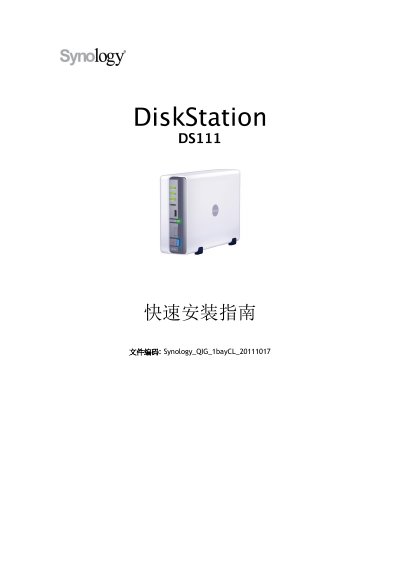
Synology DiskStation DS111 1 Bay CL Server Quick Installation Guide
The Synology DiskStation DS111 1 Bay CL Quick Installation Guide explains how to set up the DiskStation. It begins with safety notices and lists the package contents, including the main unit, installation disc, adapter, power cord, 2-meter RJ-45 network cable, and screw pack.
The guide then identifies the front and rear panel parts, describes installing a 3.5-inch SATA hard drive, connecting power and network cables, and installing system software under Windows or Mac. It also includes the DS111 specifications and a table explaining the LED indicators. This manual is written in Chinese.
Synology DS111 specifications
| Internal Drive | 3.5-inch SATA (II) x 1 |
|---|---|
| Maximum Capacity | 3 TB |
| eSATA Port | 1 |
| Network Port | Gigabit x 1 |
| Cooling Fan | 1 (50 x 50 mm) |
| Dimensions | 160 x 63 x 218 mm |
| Weight | 0.81 kg |
| Line Voltage | 100–240 V AC |
| Frequency | 50/60 Hz |
| Operating Temperature | 5 to 35 °C (40 to 95 °F) |
| Relative Humidity | 5% to 95% RH |
| Maximum Operating Altitude | 10,000 ft (3,048 m) |
Source: Synology DiskStation DS111 1 Bay CL Server Quick Installation Guide
All Synology DS111 documents by type
The shortest path to a working setup, usually only a few pages.
Day-to-day operation, settings and troubleshooting. Start here if the product is already set up.
Questions answered in these manuals
What type of hard drive does the DiskStation require?
It requires one 3.5-inch SATA hard drive.
From: Synology DiskStation DS111 1 Bay CL Server Quick Installation Guide
How do I turn off the DiskStation?
Press and hold the power button until you hear a beep and the LED indicators start flashing.
From: Synology DiskStation DS111 1 Bay CL Server Quick Installation Guide
How do I turn off the Synology DiskStation?
Press and hold the power button until you hear a beep and the LED indicator starts flashing.
From: Synology DiskStation User Guide for DS111, DS211+, and other models
What does the Copy button do?
It automatically copies data from a connected USB device or SD card to the internal hard drive when pressed.
From: Synology DiskStation User Guide for DS111, DS211+, and other models