
Key facts
- Brand
- SIGLENT
- Model
- SDS1000X HD Series
- Category
- Other Electronics
- Industry
- Electronics
- Documents
- 3
- Languages
- ZH
- Last added
- 2026-11-16
Start here
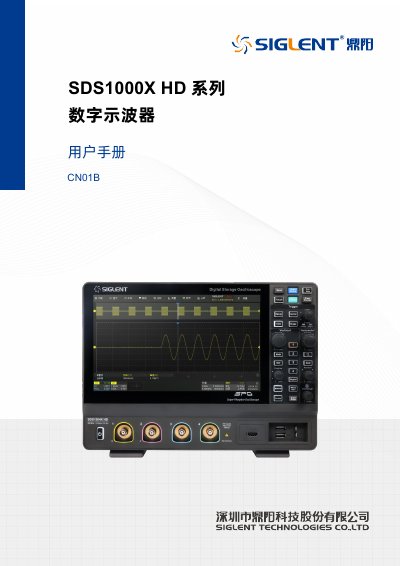
Siglent SDS1000X HD Series Digital Oscilloscope User Manual
This document is the user manual for the Siglent SDS1000X HD series digital oscilloscope. It covers safety requirements, installation, and basic operation procedures including power connection and probe compensation.
The guide details how to use the oscilloscope's front panel controls, touch screen display, and various measurement functions such as vertical, horizontal, and trigger settings. It also explains advanced features like serial decoding for I2C, SPI, UART, CAN, and LIN protocols, as well as mathematical operations and power analysis. This manual is written in Chinese.
Siglent SDS1000X HD Series specifications
| Bandwidth (SDS1204X HD / SDS1202X HD) | 200 MHz |
|---|---|
| Maximum real-time sample rate | 2 GSa/s in single-channel mode |
| Maximum memory depth | 100 Mpts/ch in single-channel mode |
| Waveform capture rate (Sequence mode) | Up to 500,000 wfm/s |
| Vertical resolution | 12-bit |
| Noise floor | 70 μVrms at full bandwidth |
| Display | 10.1-inch capacitive touchscreen, 1024×600 |
| Digital channels (optional) | 16 channels, 1 GSa/s, 10 Mpts/ch |
| USB AWG (optional) | Single channel, up to 25 MHz output |
| Interfaces | SBUS, USB 2.0 Host x3, USB 2.0 Device, 10M/100M LAN |
Source: Siglent SDS1000X HD Series Digital Oscilloscope Data Sheet
All Siglent SDS1000X HD Series documents by type
Ratings, dimensions and ordering codes, for selection and design work.
Day-to-day operation, settings and troubleshooting. Start here if the product is already set up.
Questions answered in these manuals
What bandwidths are available in the SDS1000X HD series?
The series includes 70 MHz, 100 MHz and 200 MHz models, with 200 MHz available on the SDS1204X HD and SDS1202X HD.
From: Siglent SDS1000X HD Series Digital Oscilloscope Data Sheet
What is the vertical resolution of the SDS1000X HD?
It has 12-bit vertical resolution.
From: Siglent SDS1000X HD Series Digital Oscilloscope Data Sheet
How do I compensate the probe?
Connect the probe to the Cal output, press Auto Setup, and adjust the probe screw until the waveform is flat.
From: Siglent SDS1000X HD Series Digital Oscilloscope User Manual
What should I do if the oscilloscope screen is black after pressing the power button?
Check the power cable connection, ensure the power switch is pressed, and inspect the fuse.
From: Siglent SDS1000X HD Series Digital Oscilloscope User Manual
What AC power input does the SDS1000X HD accept?
The oscilloscope accepts 100–240 V AC at 50/60 Hz and should be connected with the supplied power cord.
From: SIGLENT SDS1000X HD Series Digital Oscilloscope User Manual
How do I compensate a passive probe?
Connect the probe to a channel and the Cal output, press Auto Setup, then adjust the low-frequency compensation trimmer until the waveform matches the compensated example.
From: SIGLENT SDS1000X HD Series Digital Oscilloscope User Manual