
Key facts
- Manuals
- 3
- Languages
- ZH
- Last added
- 2026-10-02
Featured SIGLENT manuals
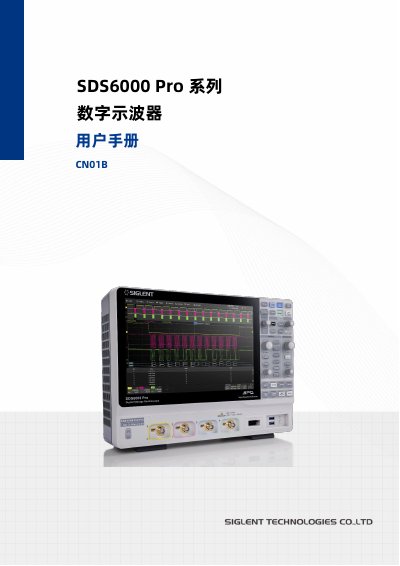
Siglent SDS6000 Pro Series Digital Oscilloscope User Manual
This manual covers all essential information for using the SDS6000 Pro series digital oscilloscope, including safety symbols, installation steps, power connections, and detailed operation of front‑panel controls, menus, and measurement functions.
It also explains advanced features such as serial trigger and decoding, math operations, power analysis, eye‑diagram and jitter analysis, as well as remote control options, firmware upgrades, and fault handling procedures. This manual is written in Chinese.
Covers: Introduction · Safety Requirements · Installation and Power On/Off · Probes and Quick Start · Touchscreen Display and Front Panel Controls · Trigger and Serial Trigger/Decoding
SIGLENT SDS1000A/SDS1000CNL+ Digital Storage Oscilloscope User Manual
This manual introduces the SDS1000A/SDS1000CNL+ series, covering safety precautions, panel layout, and basic operation to help users quickly become familiar with the instrument. It includes detailed descriptions of the front panel, menu system, probe setup, and default settings.
Further sections cover advanced functions such as trigger modes, waveform acquisition, math and FFT features, storage options, and remote control. Application examples demonstrate typical measurements, and the final chapters provide system prompts, fault handling, warranty information, and maintenance procedures. This manual is written in Chinese.
Covers: Introduction · General Safety Overview · Getting Started · Features and Operation · Application Examples · System Prompts and Troubleshooting
SIGLENT I Spectrum Analyzer User Manual
The SIGLENT I spectrum analyzer manual covers essential safety guidelines, including proper power connections, grounding, and environmental precautions such as temperature, humidity and altitude limits. It also describes the instrument's working environment, ventilation needs, and daily maintenance procedures.
Detailed sections guide users through the front‑panel functions, measurement categories, various analysis modes (spectrum, vector network, fault point, demodulation, real‑time), firmware updates, remote control, troubleshooting steps and warranty information. This manual is written in Chinese.
Covers: Safety Requirements · Measurement Categories · Ventilation Requirements · Working Environment · Daily Maintenance and Cleaning · Quick Guide
Latest SIGLENT manuals
Siglent SDS6000 Pro Series Digital Oscilloscope User Manual
User Manual 342 pages · 14.5 MB · ZHThe Siglent SDS6000 Pro series digital oscilloscope user manual provides safety, installation, operation, and troubleshooting guidance.
SIGLENT SDS1000A/SDS1000CNL+ Digital Storage Oscilloscope User Manual
User Manual 105 pages · 2 MB · ZHThe SIGLENT SDS1000A/SDS1000CNL+ digital storage oscilloscope user manual provides safety guidelines, setup steps, operation instructions, and troubleshooting.
SIGLENT I Spectrum Analyzer User Manual
User Manual 167 pages · 6.5 MB · ZHThis manual provides safety requirements, operation instructions, measurement modes and settings for the SIGLENT I spectrum analyzer.
Which document do I need?
User Manual
Day-to-day operation, settings and troubleshooting. Start here if the product is already set up.
Questions answered in SIGLENT manuals
Why is the waveform not stable on the display?
Check that the trigger source matches the signal channel, use edge trigger for normal signals, and set the time base so the sampling rate is at least twice the signal frequency.
From: Siglent SDS6000 Pro Series Digital Oscilloscope User Manual
Why is a USB flash drive not recognized by the oscilloscope?
Use a flash‑type USB drive formatted as FAT32; the instrument does not support hard‑disk‑type USB drives.
From: Siglent SDS6000 Pro Series Digital Oscilloscope User Manual
What is the maximum real‑time sampling rate of the SDS1000A/SDS1000CNL+?
The oscilloscope can sample at up to 1 GSa/s in real‑time mode.
From: SIGLENT SDS1000A/SDS1000CNL+ Digital Storage Oscilloscope User Manual
What is the maximum storage depth of the device?
It provides a maximum storage depth of 2 Mpts.
From: SIGLENT SDS1000A/SDS1000CNL+ Digital Storage Oscilloscope User Manual
What safety steps must be taken before using the instrument?
Use an approved power cord, ground the instrument, avoid moisture, and follow all safety warnings listed in the manual.
How can I perform a self‑calibration of the analyzer?
Open the menu System → 校准 → 打开; the instrument will then execute an automatic self‑calibration.