
Key facts
- Brand
- Samwontech
- Model
- SDR100 Series
- Category
- Other Electronics
- Industry
- Industrial
- Documents
- 3
- Languages
- KO · EN
- Last added
- 2026-10-19
Start here
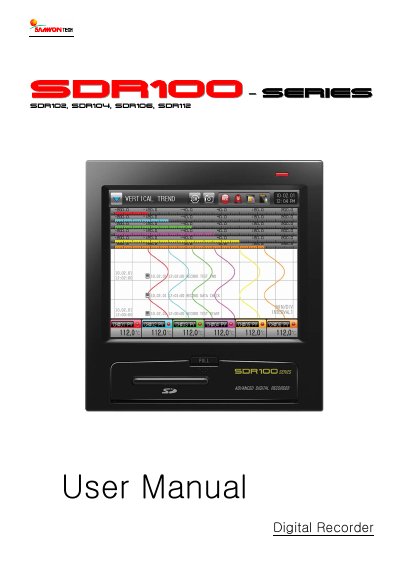
SAMWONTECH SDR100 Series Digital Recorder User Manual
This user manual provides comprehensive instructions for the SAMWONTECH SDR100 Series Digital Recorder, including safety precautions, product checks, and installation guidelines. It details the environmental requirements for installation, such as temperature ranges and humidity limits, along with specific panel cut dimensions and mounting procedures. The manual also explains how to verify the model suffix code and check included components like the main body, SD card, and fixing mounts.
The document further guides users through the operation and setup of the device, covering function names, menu flow charts, and parameter settings. It includes instructions for setting up sensor inputs, alarm signals, communication protocols (such as PCLINK and MODBUS), and display options. Additionally, it describes how to configure canned messages, view error history, and manage system parameters.
SAMWONTECH SDR100 Series specifications
| Communication Interface | RS485 type 2-wire Half-Duplex |
|---|---|
| Max Devices | 30 devices |
| Data Length | 8 bits |
| Equipment Address Range | 1~99 |
| Max D-Registers per Command | 64 |
Source: SAMWONTECH SDR100_Series Digital Recorder Communication Manual
All SAMWONTECH SDR100 Series documents by type
Day-to-day operation, settings and troubleshooting. Start here if the product is already set up.
Questions answered in these manuals
Which SDR models does this manual cover?
This manual is applicable to the SDR102, SDR104, SDR106, and SDR112 models.
From: SAMWONTECH SDR100 Series Digital Recorder Communication Manual
What is the default communication protocol setting?
The factory default protocol setting is PCLINK+SUM (PCLINK with CheckSum).
From: SAMWONTECH SDR100 Series Digital Recorder Communication Manual
What are the supported communication protocols?
The device supports PCLINK, PCLINK+SUM, MODBUS ASC, MODBUS RTU, and MODBUS ASC+SUM.
From: SAMWONTECH SDR100_Series Digital Recorder Communication Manual
What is the default factory communication setting?
The default settings are PCLINK+SUM protocol, 9600 bps, No Parity, 1 Stop Bit, 8 Data Length, and Address 1.
From: SAMWONTECH SDR100_Series Digital Recorder Communication Manual
Which models are covered by this manual?
This manual applies to the SDR102, SDR104, SDR106, and SDR112 models.
What is the warranty term for this product?
The warranty term is one year after delivery to the first purchaser for defects in materials and faulty workmanship.