
Key facts
- Brand
- Pentax
- Model
- WG-1
- Category
- Digital cameras
- Industry
- Electronics
- Documents
- 2
- Languages
- EN
- Last added
- 2012-08-03
Start here
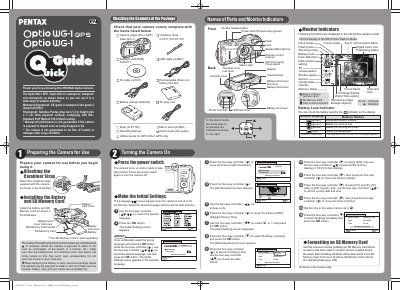
Pentax Optio WG-1 GPS Quick Start Guide
This document serves as a Quick Start Guide for the PENTAX Optio WG-1 GPS / Optio WG-1 digital camera. It highlights that the device is waterproof (JIS grade 8/IP68), dustproof (grade 6), and shockproof, designed for outdoor activities.
The guide provides step-by-step instructions for initial setup, including attaching the carabiner strap, installing the battery and SD card, setting language preferences, configuring date and time, and selecting a hometown city. It also covers basic operations such as taking still pictures, adjusting flash modes, changing drive modes (including self-timer and remote control), playing back images, deleting photos, and using Capture Mode Palettes for landscape enhancement.
All Pentax WG-1 documents by type
Day-to-day operation, settings and troubleshooting. Start here if the product is already set up.
The shortest path to a working setup, usually only a few pages.
Questions answered in these manuals
How do I format an SD Memory Card?
You can use the camera to initialize an unused or previously used SD Memory Card, but be aware that formatting will delete all stored data.
What environmental conditions is the Optio WG-1 GPS camera rated for?
The camera is rated as waterproof to JIS grade 8 (IP68), dustproof to grade 6, and shockproof when dropped from a height of 1.5 meters onto a 5 cm thick plywood surface.
What is the specified voltage for the battery charger and AC adapter?
The specified voltage is 100-240V AC.
What type of battery must be used with this camera?
You must use a rechargeable lithium-ion battery D-LI92.