
Key facts
- Brand
- Morningstar
- Model
- TS-MPPT-45
- Category
- Charge Controller
- Documents
- 2
- Languages
- EN
- Last added
- 2023-11-16
Start here
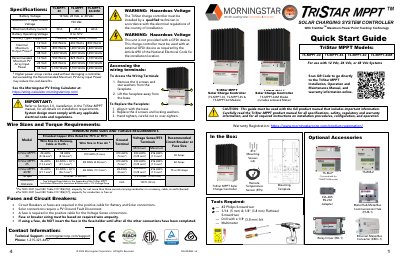
User manual for Morningstar company TriStar MPPT Solar Charge Controller TS-MPPT-30, TS-MPPT-45 & TS-MPPT-60 models
This document serves as a Quick Start Guide for the Morningstar TriStar MPPT Solar Charge Controller models TS-MPPT-30, TS-MPPT-45, and TS-MPPT-60. It outlines the contents of the box, required tools, and critical safety warnings regarding hazardous voltage and the need for a Ground Fault Disconnect (GFDI) device. The guide specifies that the unit must be installed by a qualified technician in accordance with local electrical regulations.
Read onlineMorningstar TS-MPPT-45 specifications
| Models | TS-MPPT-30, TS-MPPT-45, TS-MPPT-60, TS-MPPT-60M |
|---|---|
| Product designation | TriStar MPPT 150V |
| MPPT technology | TrakStar Maximum Power Point Tracking |
| DC connection | DC circuits only |
| External disconnects | External solar and battery disconnects are required |
| GFDI | Not provided; external GFDI device required |
All Morningstar TS-MPPT-45 documents by type
Day-to-day operation, settings and troubleshooting. Start here if the product is already set up.
The shortest path to a working setup, usually only a few pages.
Questions answered in these manuals
What models are covered by this manual?
The manual covers the TS-MPPT-30, TS-MPPT-45, TS-MPPT-60, and TS-MPPT-60M models.
What maximum power point tracking technology is used?
The controller uses TrakStar Maximum Power Point Tracking technology.
What tools are required for installation?
Required tools include a #2 Philips Screwdriver, 3/16 (5 mm) & 1/8" (3.8 mm) Flathead Screwdriver, a Drill with a 1/8" (3.8 mm) bit, and a Multimeter.
Can the TriStar charge controller be installed by a DIY user?
No, the TriStar charge controller must be installed by a qualified technician in accordance with the electrical regulations of the country of installation.