
Key facts
- Brand
- Marantz
- Model
- CD6007
- Category
- Player
- Industry
- Electronics
- Documents
- 2
- Languages
- EN
- Last added
- 2026-11-17
Start here
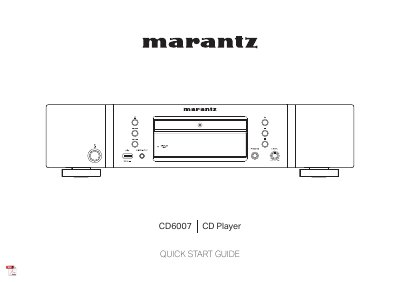
Marantz CD6007 CD Player Quick Start Guide
This is the Marantz Quick Start Guide for the CD6007 CD player. It walks through a four-step setup process: installing batteries in the remote control unit, connecting the unit to an amplifier, plugging the power cord into a power outlet, and beginning CD playback.
The guide also lists the items supplied in the box, such as the power cord, Owner's Manual, remote control unit (RC004PMCD), Safety Instructions, R03/AAA batteries, warranty, audio cable and remote connector cable. It points to the Online Manual at manuals.marantz.com/CD6007/NA/EN/ for other functions and operation details, and to www.marantz.com for more information.
Marantz CD6007 specifications
| Analog output channels | 2-channel |
|---|---|
| Playable frequency range | 2 Hz – 96 kHz |
| Signal-to-noise ratio | 110 dB |
| Dynamic range | 110 dB (24 bits) |
| Harmonic distortion | 0.0010 % (24 bits) |
| Analog output level | 2.4 V RMS stereo |
| Headphone output | 28 mW/32 Ω/ohms (variable maximum) |
| Laser | AlGaAs, 780 nm |
| CD sampling frequency | 44.1 kHz |
| Coaxial digital output | 0.5 Vp-p / 75 Ω/ohms |
| Optical digital output | –19 dBm |
| USB input | USB Type A (USB 2.0 High speed) |
| Power supply | AC 230 V, 50/60 Hz |
| Power consumption | 32 W |
| Standby power consumption | 0.3 W |
| Weight | 6.5 kg |
All Marantz CD6007 documents by type
Day-to-day operation, settings and troubleshooting. Start here if the product is already set up.
The shortest path to a working setup, usually only a few pages.
Questions answered in these manuals
What discs can the CD6007 play?
It can play CDs, CD-Rs, and CD-RWs.
What USB memory devices can be used?
Only USB memory devices conforming to mass storage class standards can be played.
What is included in the box with the CD6007?
The box contains the Quick Start Guide, power cord, Owner's Manual, remote control unit (RC004PMCD), Safety Instructions, R03/AAA batteries, warranty, audio cable and remote connector cable.
How do I begin CD playback?
Press POWER X, press 5 to open the disc tray, place the CD in the tray, and press 1/3 to start playback.