
Key facts
Start here
MapKing 2007 Navigation Software Quick Start Guide
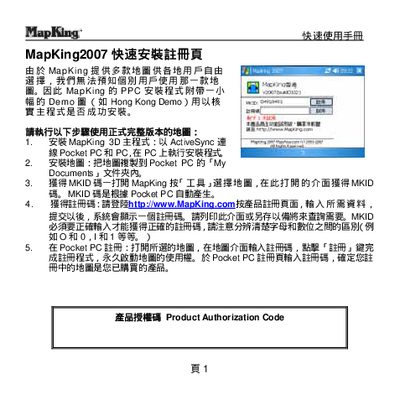
This guide explains how to install the MapKing 2007 navigation software on a Pocket PC using ActiveSync, copy map files to the device, and register the product with a MKID code. It also covers basic map selection, GPS mode activation, and sending the current location via SMS.
Additional sections describe path‑planning features, map switching, GPS hardware support, and where to obtain technical support or additional map data. The manual is intended for quick reference rather than detailed troubleshooting. This manual is written in Chinese.
MapKing MapKing2007 specifications
| Supported Devices | Pocket PC, PC, Smartphone |
|---|---|
| Map Scale | 1:5000 (city internal), 1:20000 (other areas) |
| Path Points | Up to 9 points |
| Operating System | Microsoft Windows Pocket PC |
All MapKing MapKing2007 documents by type
Day-to-day operation, settings and troubleshooting. Start here if the product is already set up.
The shortest path to a working setup, usually only a few pages.
Questions answered in these manuals
Can I use MapKing 2007 indoors?
No, GPS signals cannot penetrate buildings or car metal insulation films, so the system generally cannot be used indoors.
Is the system suitable for driving?
It is designed for reference only; users must decide actual driving behavior based on real road conditions and traffic rules.
How do I install MapKing 2007 on a Pocket PC?
Connect the Pocket PC to a PC with ActiveSync and run the installer on the PC.
How can I switch between different maps?
Open the Tools menu, choose "Select Map", and pick the desired map.