
Key facts
- Brand
- Keysight
- Model
- DAQ970A
- Category
- Other Electronics
- Industry
- Industrial
- Documents
- 2
- Languages
- ZH · EN
- Last added
- 2026-10-16
Start here
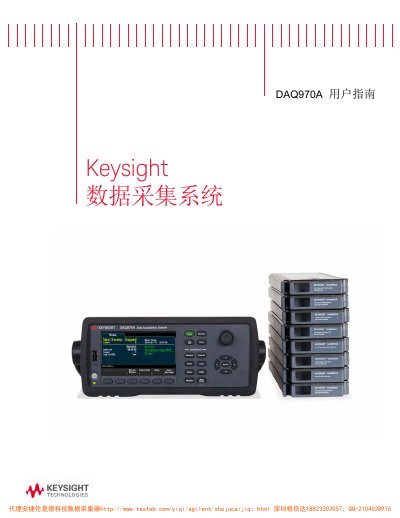
Keysight DAQ970A Data Acquisition System User Guide
The document serves as a comprehensive user manual for the Keysight DAQ970A Data Acquisition System. It provides detailed instructions on operating the instrument, including an overview of the front and rear panels, remote interface configuration, and LAN settings.
The guide covers essential topics such as quick start procedures, system cable connections, grounding techniques, and various measurement tutorials for temperature, DC/AC voltage, current, resistance, strain gauge, frequency, capacitance, and digital I/O. It also details the use of multifunction modules like DAQM907A. This manual is written in Chinese.
Keysight DAQ970A specifications
| Processor DDR3 SDRAM | 256 MByte |
|---|---|
| Parallel NAND Flash Memory | 256 MByte |
| I2C EEPROM | 4 kByte |
| Battery‑backed SRAM | 128 kByte |
Source: Keysight DAQ970A/DAQ973A Data Acquisition System Security Guide
All Keysight DAQ970A documents by type
Day-to-day operation, settings and troubleshooting. Start here if the product is already set up.
Questions answered in these manuals
What is the document number for this manual?
The manual document number is DAQ97-90007.
When was the first version of this manual published?
The first version was published on November 1, 2018.
How can I disable the front panel display during remote operation?
Press Home > User Settings > Display Options > Display Off to turn the front‑panel display off.
From: Keysight DAQ970A/DAQ973A Data Acquisition System Security Guide