
Key facts
- Manuals
- 10
- Models
- 1
- Languages
- EN · ZH
- Last added
- 2026-10-03
Keysight models by category
Featured Keysight manuals
Keysight i3070 Series 5 In-Circuit Test System Site Preparation Guide
This guide details the site‑preparation process for the Keysight i3070 Series 5 In‑Circuit Test System. It outlines the responsibilities of Keysight and the customer, provides a checklist, and describes the steps from planning to verification before installation.
The document includes specifications for structural, environmental, power, RF attenuation, compressed‑air, and vacuum requirements, as well as detailed receiving and moving instructions to ensure a safe and compliant installation.
Covers: Site Preparation Process · Planning · Structural Requirements · RF Attenuation Requirements · Environmental Requirements · Power Requirements
Keysight N77xx Series Getting Started Guide
The Getting Started Guide walks users through the initial inspection of the N77xx series instruments, safety considerations, and the required operating environment. It details power‑line requirements, input/output connectors, and the various interfaces (LAN, USB, GPIB) used to control the devices.
The guide also covers how to make optical connections, install the Keysight software, power up the instrument, and view or save measurement configurations. Safety symbols such as CAUTION and WARNING are explained, and troubleshooting tips are provided for common setup tasks.
Covers: Getting Started · Initial Inspection · Safety Considerations · Operating Environment · Line Power Requirements · Input/Output Signals
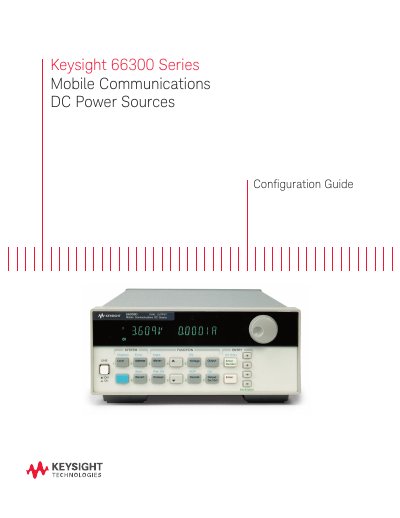
Keysight 66300 Series Mobile Communications DC Power Sources Configuration Guide
This guide provides information for selecting and configuring Keysight 66300 Series mobile communications DC power sources. It lists the available single‑output and dual‑output models, their key features such as fast response power technology, peak current capability up to 5 A, and battery‑emulation options.
The document also details optional accessories and configuration options, including AC input voltage settings, rack‑mount kits, output disconnect relays, and GPIB cables. Service and calibration options are described, along with contact information for warranty and support services.
Covers: Model Selection · Configuration Options · Accessories · Service and Calibration Options · Warranty and Support · Contact Information
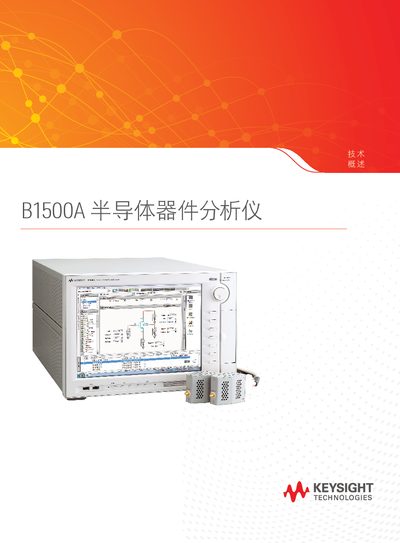
Keysight B1500A System User Manual
The manual describes the B1500A system and its interchangeable modules such as the B1525A HV‑SPGU, B1514A MCSMU, and B1530A WGFMU. It explains how the system performs IV, CV, and pulse measurements and outlines the capabilities of each module.
The document also covers the EasyEXPERT group+ software interface, connection options (GPIB, USB, LAN), and data‑setup procedures. Technical parameters such as current ranges, voltage ranges, sampling rates, and frequency limits are listed, enabling users to configure the instrument for a wide variety of electrical tests.
Covers: System Overview · Modules and Options · Measurement Capabilities · EasyEXPERT group+ Software · Connectivity (GPIB, USB, LAN) · Specifications
Latest Keysight manuals
Keysight i3070 Series 5 In-Circuit Test System Site Preparation Guide
Installation Guide 71 pages · 1.9 MB · ENInstructions for preparing a site for the Keysight i3070 Series 5 In‑Circuit Test System, covering responsibilities, planning, and technical requirements.
Keysight N77xx Series Getting Started Guide
Quick Start Guide 57 pages · 1.6 MB · ENThis guide provides initial inspection, safety, connection, and software‑installation instructions for Keysight N77xx optical power meters, attenuators, and…
Keysight 66300 Series Mobile Communications DC Power Sources Configuration Guide
Product Leaflet 4 pages · 950 KB · ENConfiguration guide for Keysight 66300 Series mobile communications DC power sources, covering model selection, options, accessories, and specifications.
Keysight B1500A System User Manual
User Manual 17 pages · 7.2 MB · ENThe Keysight B1500A System User Manual provides detailed information on modules, specifications, and software operation for the B1500A test platform.
Keysight 34970A/34972A Data Acquisition/Switch Unit User Guide
User Manual 355 pages · 8.2 MB · ZHThe Keysight 34970A/34972A user guide provides safety instructions, hardware overview, interface options and technical specifications for the data…
Keysight 34970A/34972A Data Acquisition Switch Unit User’s Guide
User Manual 353 pages · 7.6 MB · ENThe Keysight 34970A/34972A User’s Guide provides safety, operation, and technical details for the Data Acquisition / Switch Unit.
Keysight InfiniiVision 6000 X Oscilloscope Technical Data Sheet
Datasheet 40 pages · 5 MB · ZHTechnical data sheet for the Keysight InfiniiVision 6000 X series oscilloscope, detailing bandwidth, sampling, display and connectivity.
Keysight L4450A 64-Bit Digital I/O with Memory and Counter Datasheet
Datasheet 10 pages · 2.3 MB · ENThe Keysight L4450A is a 64‑bit LXI‑class digital I/O instrument with pattern memory, two 10 MHz counters and Ethernet connectivity.
Keysight 34450A, 34460A, 34461A, 34401A, 34410A, 34411A Digital Multimeter Product Leaflet
Product Leaflet 2 pages · 340 KB · ZHThe Keysight 34450A‑34411A series digital multimeters provide 5½‑6½‑digit resolution, multiple interface options, and a range of accessories for high‑speed…
Keysight DAQ970A/DAQ973A Data Acquisition System Security Guide
User Manual 19 pages · 419 KB · ENThe Keysight DAQ970A/DAQ973A Security Guide explains security features, memory declassification, and data sanitization procedures for the Data Acquisition…
Which document do I need?
Installation Guide
Mounting, wiring and first power-up. Read it before the hardware goes in.
Quick Start Guide
The shortest path to a working setup, usually only a few pages.
User Manual
Day-to-day operation, settings and troubleshooting. Start here if the product is already set up.
Datasheet
Ratings, dimensions and ordering codes, for selection and design work.
Questions answered in Keysight manuals
What temperature range is required for operating the i3070 system?
The system must operate in an ambient temperature range of 0 °C to 40 °C (32 °F to 104 °F).
From: Keysight i3070 Series 5 In-Circuit Test System Site Preparation Guide
Who must provide insurance for the i3070 system?
The customer is responsible for providing insurance coverage for the system from the time it is delivered to the facility.
From: Keysight i3070 Series 5 In-Circuit Test System Site Preparation Guide
How many power‑sensor ports does the N7744A have?
The N7744A has 4 power‑sensor ports.
Which interfaces can be used to connect to the instrument?
The instrument can be connected via LAN, USB, or GPIB interfaces.
Which models support battery emulation?
Battery emulation is available on models 66321B, 66321D, 66319B, 66319D, and 66332A.
From: Keysight 66300 Series Mobile Communications DC Power Sources Configuration Guide
How can I obtain a service manual for the 66300 series?
A service manual is available only for models 66311B, 66332A, and 66309B/D.
From: Keysight 66300 Series Mobile Communications DC Power Sources Configuration Guide