
Key facts
- Brand
- Jura
- Model
- S95
- Category
- Coffee maker
- Industry
- Appliances
- Documents
- 3
- Languages
- EN · ZH
- Last added
- 2012-08-06
Start here
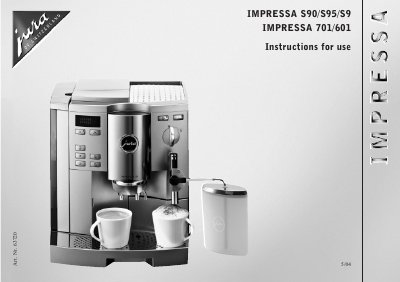
Jura Impressa S90/S95/S9/701/601 Coffee Machine User Manual
This manual explains how to install, program, and use the Jura Impressa S90/S95/S9/701/601 fully‑automatic espresso/coffee machine. It covers safety precautions, initial setup, and detailed operating steps for coffee, hot water, steam, and cappuccino functions.
Key sections include safety instructions, water‑hardness adjustment, filter cartridge handling, programming of coffee and steam quantities, cleaning and decalcifying procedures, and a troubleshooting guide with common error messages and corrective actions.
Jura S95 specifications
| Voltage | 230 V AC |
|---|---|
| Output power | 1350 W |
| Fuse rating | 10 A |
| Standby power consumption | ≈ 4.4 Wh |
| Ready‑to‑make‑coffee power consumption | ≈ 31 Wh (Economy Mode on ≈ 41 Wh) |
| Pump pressure | max. 15 bar |
| Water tank capacity | 2.7 L |
| Bean container capacity | 280 g |
| Cable length | ≈ 1.1 m |
| Weight | 11.7 kg |
| Dimensions (W × H × D) | 34.5 × 35 × 39 cm |
Source: Jura Impressa S90/S95/S9/701/601 Coffee Machine User Manual
All Jura S95 documents by type
Day-to-day operation, settings and troubleshooting. Start here if the product is already set up.
Questions answered in these manuals
How do I adjust the water hardness?
Use the supplied test‑sticks, press the appropriate keys to display the hardness level, and confirm the setting with an acoustic signal.
From: Jura Impressa S90/S95/S9/701/601 Coffee Machine User Manual
How often should the Claris filter cartridge be replaced?
Replace the filter after drawing off 50 L of water or roughly every two months, whichever occurs first.
From: Jura Impressa S90/S95/S9/701/601 Coffee Machine User Manual