
Key facts
- Brand
- IRiver
- Model
- H300 Serie
- Category
- MP3 Player
- Industry
- Electronics
- Documents
- 2
- Languages
- DE · ZH
- Last added
- 2026-11-14
Start here
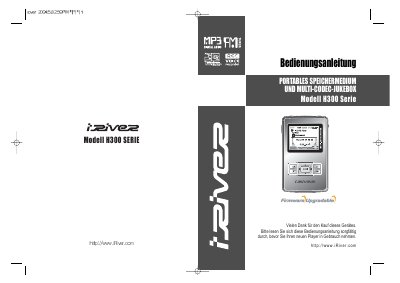
iRiver H300 Serie Portable Storage Medium and Multi-Codec Jukebox User Manual
This is the user manual for the iRiver H300 Serie, a portable storage medium and multi-codec jukebox. It is written in German and published by iRiver Limited, with copyright 1999-2004.
It covers product introduction, features, package contents, part names, connections, software installation, startup, controls, music playback, FM radio reception, preset stations, recording, text function, image viewing, browser use, music search, EQ/SRS, playback mode, menu settings, troubleshooting, technical data, and the FCC statement.
iRiver H300 Serie specifications
| Display | ein großes Farb-LCD |
|---|---|
| Interface | USB 2.0 |
| Tuner | digitaler UKW-Tuner |
| Battery life | bis zu 16 Stunden |
| Storage | magnetische Festplatte |
| Codec support | Multi-Codec |
Source: iRiver H300 Serie Portable Storage Medium and Multi-Codec Jukebox User Manual
All iRiver H300 Serie documents by type
Day-to-day operation, settings and troubleshooting. Start here if the product is already set up.
Questions answered in these manuals
How long does the battery last per charge?
It lasts up to 16 hours per charge.
From: iRiver H300 Serie Portable Storage Medium and Multi-Codec Jukebox User Manual
What kind of tuner is built in?
The player has a digital FM tuner.
From: iRiver H300 Serie Portable Storage Medium and Multi-Codec Jukebox User Manual
Why is there no sound when I try to play music?
Check that the volume is not set to zero, verify that the headphones or line‑control cable are properly connected, make sure the lock (Hold) key is off, and clean the headphone jack if needed.
From: iRiver H300 Series Mobile Hard Disk MP3 Player User Manual
How do I transfer music files from the H300 to my computer?
Connect the player to the computer with the supplied USB cable, ensure the USB line is correctly attached, and then use the computer’s file manager or the provided software to copy files. Close other applications that might access the USB port during transfer.
From: iRiver H300 Series Mobile Hard Disk MP3 Player User Manual