
Key facts
- Brand
- iPod
- Model
- iPod classic 160GB
- Category
- Other device
- Documents
- 2
- Languages
- EN
- Last added
- 2012-06-05
Start here
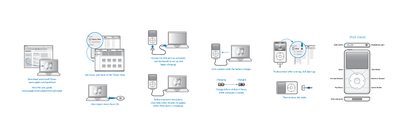
Apple iPod classic Quick Start Guide
This Quick Start Guide shows how to connect the iPod classic to a computer via the USB port, charge the device, and use the Click Wheel for basic navigation, playback, and volume control. It also explains how to reset the iPod, turn it on or off, and access common functions such as shuffling songs.
For complete instructions and safety information, the guide points users to the full iPod classic User Guide available on Apple’s website.
All iPod classic 160GB documents by type
The shortest path to a working setup, usually only a few pages.
Day-to-day operation, settings and troubleshooting. Start here if the product is already set up.
Questions answered in these manuals
How do I charge the iPod classic?
Connect it to a USB port on a computer and charge for at least four hours while the computer is awake.
How do I turn off the iPod classic?
Press and hold the Play/Pause button for a few seconds.
How do you turn on the iPod classic?
Press any button on the device.
How do you reset the iPod classic if it isn’t responding?
Slide the Hold switch to HOLD and back again, then press Menu and the Center button together for about 6 seconds until the Apple logo appears.