
Key facts
- Brand
- HiVi
- Model
- MATRIX08/MATRIX16
- Category
- Audio-Video Decoder
- Industry
- Appliances
- Documents
- 3
- Languages
- ZH
- Last added
- 2026-10-15
Start here
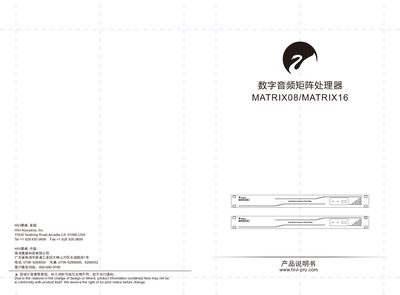
HiVi MATRIX08/MATRIX16 Digital Audio Matrix Processor User Manual
The HiVi MATRIX08/MATRIX16 is a digital audio matrix processor featuring a multi-channel analog input and output design. It utilizes an ADI DSP SHARC21489 chip with a maximum operating frequency of 450MHz. The device supports various audio processing modules including AFC (Feedback Suppression), AEC (Echo Cancellation), ANS (Noise Suppression), AGC (Automatic Gain Control), and automatic mixing. This manual is written in Chinese.
Read onlineHiVi MATRIX08/MATRIX16 specifications
| DSP Chip | ADI DSP SHARC21489 |
|---|---|
| Max Operating Frequency | 450MHz |
| Power Supply | 110-240V AC 50/60Hz |
| Max Power | 40W |
| Network Interface | 10/100 Base-T Ethernet |
| RS485 Baud Rate | 115200 baud |
| GPIO Output | 8路逻辑输出 |
Source: HiVi MATRIX08/MATRIX16 Digital Audio Matrix Processor User Manual
All HiVi MATRIX08/MATRIX16 documents by type
Day-to-day operation, settings and troubleshooting. Start here if the product is already set up.
Questions answered in these manuals
What DSP chip is used in the MATRIX08/MATRIX16?
The device uses an ADI DSP SHARC21489 chip.
From: HiVi MATRIX08/MATRIX16 Digital Audio Matrix Processor User Manual
What is the maximum operating frequency of the processor?
The maximum operating frequency is 450MHz.
From: HiVi MATRIX08/MATRIX16 Digital Audio Matrix Processor User Manual
What are the supported audio input and output types?
The device supports multiple balanced microphone/line inputs and outputs using Phoenix connectors.
From: HiVi MATRIX08/MATRIX16 Digital Audio Matrix Processor User Manual
Can the processor be controlled via a web browser?
Yes, it supports multiple control methods including web pages, mobile phones, and tablets.
From: HiVi MATRIX08/MATRIX16 Digital Audio Matrix Processor User Manual
How do I install the Matrix processor software?
Download the software from the HiVi website, double‑click the installer and follow the on‑screen prompts; then launch the program from the desktop icon or Start menu.
From: HiVi MATRIX08/MATRIX16 Digital Audio Matrix Processor User Manual
How many input channels can the auto‑mixer handle?
The auto‑mixer supports up to 32 audio input channels.
From: HiVi MATRIX08/MATRIX16 Digital Audio Matrix Processor User Manual