
Key facts
Start here
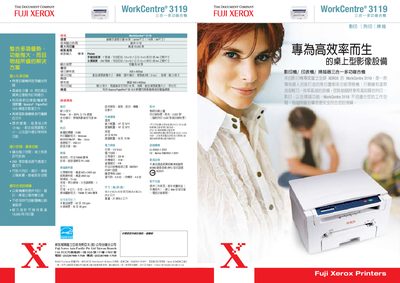
Fuji Xerox WorkCentre 3119 Multi-Function Machine User Manual
The WorkCentre 3119 is a three‑in‑one device that combines printing, copying, and scanning. It offers high‑speed output of up to 19 pages per minute for Letter size (18 ppm for A4) and a maximum monthly duty cycle of over 10,000 pages, making it suitable for busy office environments. The machine supports a range of paper sizes and includes features such as TID Copy and Auto Fit Copy for easy document handling.
Technical details include an optical resolution of up to 600 × 2400 dpi, interpolated resolution of 4800 dpi, 8 MB of memory, and USB 2.0 connectivity. Power consumption is 225 W during operation and 70 W in standby. The unit complies with ENERGY STAR standards, weighs 21 lb (9.5 kg), and measures 16.1 × 14.3 × 9.13 in. It ships with a high‑capacity 3000‑page black toner cartridge and comes with a two‑year warranty, with the first year covered by service. This manual is written in Chinese.
FUJI WorkCentre 3119 specifications
| Maximum monthly duty cycle | Over 10,000 pages |
|---|---|
| Optical resolution | 600 × 2400 dpi |
| Interpolated resolution | 4800 dpi |
| Memory | 8 MB |
| Power supply | 110 V, 4 A |
| Weight | 21 lb (9.5 kg) |
| Connectivity | USB 2.0 |
| Toner cartridge yield (black) | 3000 pages |
| Energy Star compliance | Yes |
Source: Fuji Xerox WorkCentre 3119 Multi-Function Machine User Manual
All FUJI WorkCentre 3119 documents by type
Day-to-day operation, settings and troubleshooting. Start here if the product is already set up.
Questions answered in these manuals
What is the maximum monthly duty cycle?
The device supports a monthly duty cycle of over 10,000 pages.
From: Fuji Xerox WorkCentre 3119 Multi-Function Machine User Manual
Which connectivity options are available?
The machine provides a USB 2.0 interface for connecting to a computer.
From: Fuji Xerox WorkCentre 3119 Multi-Function Machine User Manual