
Key facts
- Brand
- formlabs
- Model
- Form 3+
- Documents
- 2
- Languages
- EN
- Last added
- 2026-10-18
Start here
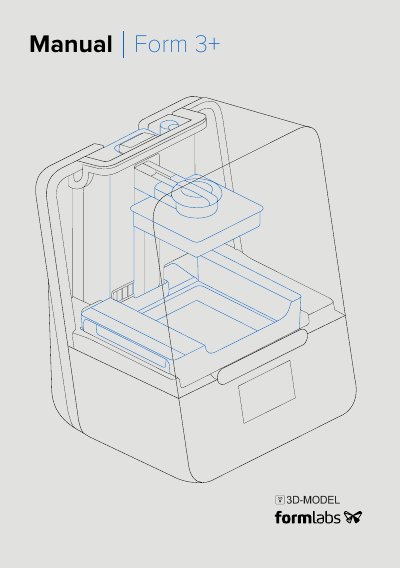
Formlabs Form 3+ Low Force Stereolithography 3D Printer Installation and Usage Instructions
This manual provides comprehensive instructions for skilled persons regarding the safety, setup, operation, and maintenance of the Form 3+ 3D printer. It covers essential topics from unboxing and installation to daily printing operations and emergency procedures.
The document details the operational environment requirements, step-by-step printing workflows including finishing processes, and specific maintenance schedules ranging between prints to periodic tasks. It also includes troubleshooting guides for failed prints and repair disassembly instructions.
Formlabs Form 3+ specifications
| Build Volume | 145 x 145 x 185 mm (5.7 x 5.7 x 7.3 inches) |
|---|---|
| Laser Wavelength | 405 nm violet laser |
| Power Requirement | 100–240 V ~ 2.5 A, 50/60 Hz |
| Operating Temperature | Automatically heated to 35 °C (95 °F) |
Source: Formlabs Form 3B Low Force Stereolithography 3D Printer User Manual
All Formlabs Form 3+ documents by type
Day-to-day operation, settings and troubleshooting. Start here if the product is already set up.
Questions answered in these manuals
What safety class is the Form 3B laser?
The printer is a Class 1 laser product.
From: Formlabs Form 3B Low Force Stereolithography 3D Printer User Manual
Does the Form 3B support Wi-Fi?
Yes, it supports IEEE 802.11 b/g/n protocols on 2.4 GHz and 5 GHz frequencies.
From: Formlabs Form 3B Low Force Stereolithography 3D Printer User Manual
What type of printer is the Form 3+?
The Form 3+ is a Low Force Stereolithography (LFS) 3D Printer.
From: Formlabs Form 3+ Low Force Stereolithography 3D Printer Installation and Usage Instructions
How should the serial name be used for support?
Include the serial name when contacting Formlabs for product support, as it is a unique identifier to track manufacturing and repair history.
From: Formlabs Form 3+ Low Force Stereolithography 3D Printer Installation and Usage Instructions