
Key facts
- Brand
- Evolution
- Model
- MK-449C
- Industry
- Electronics
- Documents
- 2
- Languages
- EN · ZH
- Last added
- 2012-07-03
Start here
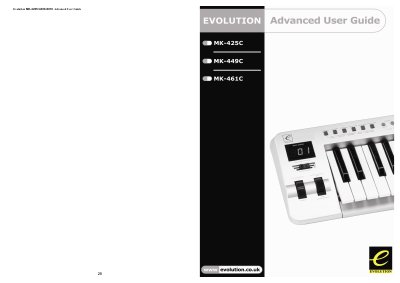
Evolution MK-425C/449C/461C Keyboard Advanced User Guide
This guide assumes you have read the Getting Started Guide and are familiar with the basic operation of the keyboard. It explains terminology, edit mode, and default mode before covering advanced configuration options.
The manual covers programming and editing of controllers, assigning MIDI CC numbers, MMC commands, RPN/NRPN messages, SysEx messages and device IDs, and includes appendices with MIDI implementation charts, hexadecimal conversion tables, and useful MIDI data. This manual is written in Chinese.
Evolution MK-449C specifications
| Keyboard Note Count | 25, 49 or 61 notes |
|---|---|
| MIDI Channels | 16 |
| Power Source | USB or External PSU |
| Programmable Rotary Dials | 12 (8 on MK-425C and MK-449C) |
| Programmable Faders | 9 (MK-449C & MK-461C only) |
| Programmable Buttons | 10 |
Source: Evolution MK-425C/MK-449C/MK461C USB Keyboard User Manual
All Evolution MK-449C documents by type
Day-to-day operation, settings and troubleshooting. Start here if the product is already set up.
Questions answered in these manuals
What should I do if my Evolution keyboard suddenly stops working?
Switch off the unit and leave it for 10 seconds. Then restart your computer and try again.
From: Evolution MK-425C/MK-449C/MK461C USB Keyboard User Manual
How do I fix the issue where the sustain pedal works the wrong way round?
Make sure the sustain pedal is unpressed when you power up the keyboard, as it is assumed to be in the OFF position on startup.
From: Evolution MK-425C/MK-449C/MK461C USB Keyboard User Manual
What is the default mode of the keyboard?
In default mode the LCD shows the controller symbol and the 2‑digit display shows the last selected controller.
From: Evolution MK-425C/449C/461C Keyboard Advanced User Guide
How do I convert hexadecimal values to decimal for NRPN programming?
Use the Windows calculator in scientific mode, select hex, enter the value, then press Dec to see the decimal equivalent.
From: Evolution MK-425C/449C/461C Keyboard Advanced User Guide