
Key facts
- Brand
- Elo TouchSystems
- Model
- 0700L
- Industry
- Electronics
- Documents
- 2
- Languages
- FR · EN
- Last added
- 2026-11-17
Start here
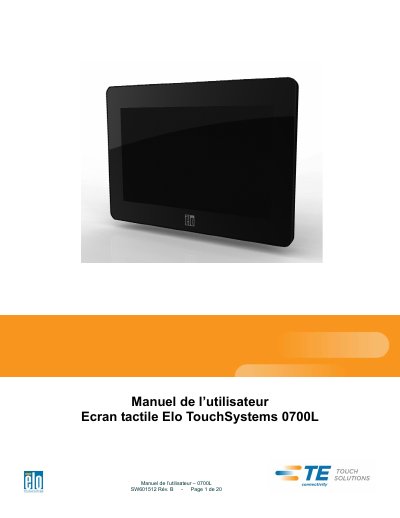
Elo TouchSystems 0700L Touchscreen User Manual
This is the user manual for the Elo TouchSystems 0700L touchscreen. It provides step-by-step instructions for installation, mounting, and operation. The manual includes safety and maintenance guidelines, technical specifications, and driver installation procedures for Windows systems. It also covers regulatory compliance and environmental information.
The touchscreen features a TFT LCD panel with 24-bit color, LED backlighting, and USB-based power, video, and touch functionality. It requires a secondary monitor to install the DisplayLink driver during setup. This manual is written in French.
Elo TouchSystems 0700L specifications
| Display Type | TFT LCD |
|---|---|
| Color Depth | 24 bits |
| Backlight | LED |
| USB Interface | Power, Video, Touch |
| Minimum System Requirements | Windows 7, XP 32-bit (SP2, SP3), Vista 32-bit (SP1) or Vista 64-bit (SP1), 2.0GHz Dual Core, 512 Mb RAM |
All Elo TouchSystems 0700L documents by type
Day-to-day operation, settings and troubleshooting. Start here if the product is already set up.
Questions answered in these manuals
Can this touchscreen work as a primary display?
No, it cannot function as a primary display at startup. A secondary monitor must be used to install the DisplayLink driver.
What is required to install the DisplayLink driver?
Install the DisplayLink driver from the included CD or download it from the Elo website. Use a secondary monitor to install the driver.
Which Windows operating systems does the touchmonitor support?
It supports Windows 7, XP 32-bit (SP2, SP3), Vista 32-bit (SP1), and Vista 64-bit (SP1).
Can the touchmonitor be used as the primary display during boot-up?
No. The touchmonitor cannot function as primary display during boot-up; an additional display is required to install the USB driver.