
Key facts
- Brand
- Dopod
- Model
- S300
- Industry
- Electronics
- Documents
- 2
- Languages
- ZH · JA
- Last added
- 2012-05-10
Start here
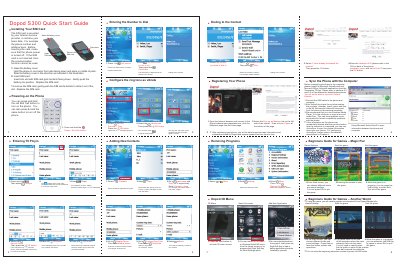
Dopod S300 Quick Start Guide
The Dopod S300 Quick Start Guide provides step‑by‑step instructions for getting the phone up and running. It explains how to open the battery cover, insert the SIM card with the gold contacts facing down, and power the device on or off by holding the red End/Call button.
Additional sections cover basic phone functions such as dialing numbers, setting the ring mode, adding new contacts, registering the phone on the Dopod website, and syncing data with a computer using Microsoft ActiveSync. The guide also includes brief notes on using pre‑installed games and managing applications. This manual is written in Chinese.
Dopod S300 specifications
| Dimensions | 98.5 mm × 51.4 mm × 15.8 mm |
|---|---|
| Weight | 99 g (including battery) |
| Battery capacity | 750 mAh (typical, removable) |
All Dopod S300 documents by type
Day-to-day operation, settings and troubleshooting. Start here if the product is already set up.
The shortest path to a working setup, usually only a few pages.
Questions answered in these manuals
How can I turn the phone on and off?
Press and hold the red End/Call button to turn the phone on; press and hold the same button again to turn it off.
How can I restore the phone to its factory settings?
Select the “Hard Reset” option in the menu to recover the default values.
How do I insert a SIM card into the S300?
Open the SIM card slot cover and place the SIM card into the slot as shown in the manual.