
Key facts
Start here
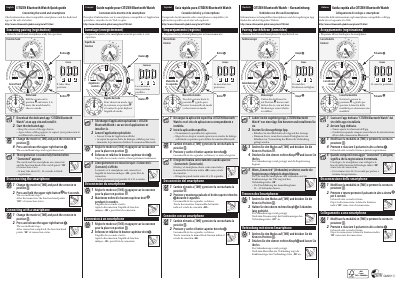
Citizen W770 Bluetooth Watch Quick Guide
This quick guide explains how to connect the Citizen W770 Bluetooth watch to a smartphone. It covers downloading the dedicated CITIZEN Bluetooth Watch app, pairing (registering) the watch, disconnecting the smartphone, and reconnecting the watch.
The guide is printed in several languages and points to the Citizen website for compatible smartphones and the dedicated app. Registration takes about 20 to 30 seconds, and the watch's function hand shows ON or OFF for the connection status.
Citizen W770 specifications
| Bluetooth version | Bluetooth 4.0 |
|---|---|
| Chronograph range | Up to 60 minutes in 1-second increments |
| Perpetual calendar correction-free period | Until February 28, 2100 |
| Power source | Light-powered Eco-Drive; no battery change required |
| Local time | Secondary time zone |
All Citizen W770 documents by type
Day-to-day operation, settings and troubleshooting. Start here if the product is already set up.
The shortest path to a working setup, usually only a few pages.
Questions answered in these manuals
Does the Citizen W770 need a battery replacement?
No. The manual states that no battery change is required and that the watch is powered by light.
How do I charge the watch?
Expose the dial to direct sunlight frequently. The built-in rechargeable cell charges when the dial is exposed to light.
How do I pair the Citizen Bluetooth watch with a smartphone?
Download and install the dedicated CITIZEN Bluetooth Watch app, start it, set the watch mode to [TME], push the crown to position 2, then press and release the upper right button. Registration finishes when "Connected" appears.
How long does registration take?
About 20 to 30 seconds.