
Key facts
Start here
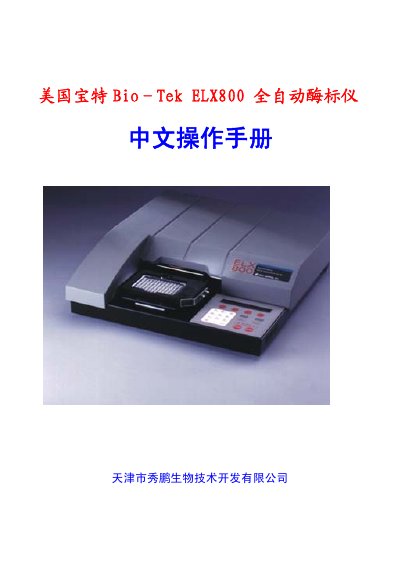
Bio-Tek ELX800 Fully Automatic Enzyme Immunoassay Analyzer Operation Manual
This manual is the Chinese operation manual for the Bio-Tek ELX800 fully automatic enzyme immunoassay analyzer. It covers installation requirements, unpacking and reassembly, filter installation and checking, printer and serial interface connections, and other setup functions.
The operation section describes the keyboard, screen display, main menu, definitions, analysis selection, test file names, settings, reading, runtime and diagnostic prompts, well-position prompts, report printing, results, plate layout, tests, and directory functions. An appendix lists error codes and reading, report, and diagnostic programs. This manual is written in Chinese.
Bio-Tek ELX800 specifications
| Operating temperature range | 15 °C – 40 °C |
|---|---|
| Standard filter wavelengths | 450 nm, 490 nm, 630 nm |
| UV filter wavelengths | 405 nm, 450 nm, 490 nm, 630 nm, 340 nm |
| Parallel port interface | 25‑pin D‑sub connector |
Source: Bio‑Tek ELX800 Full‑Automatic ELISA Reader Chinese Operation Manual
All Bio-Tek ELX800 documents by type
Day-to-day operation, settings and troubleshooting. Start here if the product is already set up.
Questions answered in these manuals
What temperature range is required for operation?
The ELX800 should be used in an environment between 15 °C and 40 °C.
From: Bio‑Tek ELX800 Full‑Automatic ELISA Reader Chinese Operation Manual
What operating environment is required for the ELX800?
It must be installed on a level, smooth surface at 15°C to 40°C, avoiding high humidity, strong sunlight or incandescent light, and dust.
From: Bio-Tek ELX800 Fully Automatic Enzyme Immunoassay Analyzer Operation Manual
Which filter wavelengths are used in the standard and UV models?
The standard model has 450, 490, and 630 nm filters; the UV model has 405, 450, 490, 630, and 340 nm filters.
From: Bio-Tek ELX800 Fully Automatic Enzyme Immunoassay Analyzer Operation Manual