
Key facts
- Brand
- Beckman Coulter
- Model
- XPN-100
- Category
- Other
- Industry
- Industrial
- Documents
- 2
- Languages
- EN · ZH
- Last added
- 2026-10-17
Start here
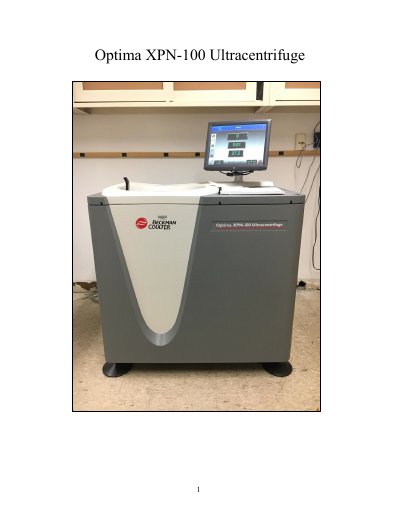
Beckman Coulter Optima XPN-100 Ultracentrifuge User Manual
This document is the user manual for the Beckman Coulter Optima XPN-100 Ultracentrifuge, a high-performance device optimized for spinning rotors at speeds up to 100,000 rpm or 802,000 x g. The manual provides instructions on safety procedures, preparing and mounting samples, and setting up centrifugation parameters.
Read onlineBeckman Coulter XPN-100 specifications
| Maximum Speed | 100,000 rpm or 802,000 x g |
|---|---|
| Temperature Range | 0 to 40 ℃ |
| Temp Control | ± .5 ℃ |
| Speed Control | ± 2 rpm of set speed above 1000 rpm |
Source: Beckman Coulter Optima XPN-100 Ultracentrifuge User Manual
All Beckman Coulter XPN-100 documents by type
Day-to-day operation, settings and troubleshooting. Start here if the product is already set up.
Questions answered in these manuals
What is the temperature range of the Optima XPN-100?
The temperature range is 0 to 40 ℃.
From: Beckman Coulter Optima XPN-100 Ultracentrifuge User Manual
How do I handle a vacuum error?
Run the system for about twenty minutes before running your sample to warm up the pump oil.
From: Beckman Coulter Optima XPN-100 Ultracentrifuge User Manual
Does the Optima XPN support remote monitoring?
Yes, users can remotely set operating parameters, monitor instrument operation, and download various data via computer network or iPhone.
From: Beckman Coulter Optima XPN-100/90/80 Intelligent Ultracentrifuge Product Leaflet
What languages are supported on the interface?
The interface supports 9 languages, including Chinese, English, Japanese, French, and German.
From: Beckman Coulter Optima XPN-100/90/80 Intelligent Ultracentrifuge Product Leaflet