
Key facts
- Brand
- Autonics
- Model
- TX4S
- Category
- Other Electronics
- Industry
- Industrial
- Documents
- 2
- Languages
- EN · ZH
- Last added
- 2026-10-07
Start here
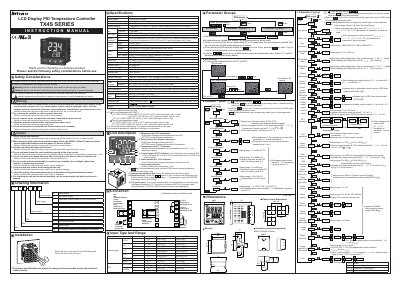
Autonics TX4S Series PID Temperature Controller User Manual
This manual explains how to install and safely operate the Autonics TX4S Series PID Temperature Controller. It includes safety considerations, mounting instructions, wiring recommendations, and guidelines for avoiding hazards such as electric shock and fire.
The document details the controller’s specifications, input sensor options, control and alarm output types, RS485 Modbus communication settings, and parameter configuration procedures such as auto‑tuning, hysteresis, and alarm options. Troubleshooting tips and a Modbus mapping table are also provided.
Autonics TX4S specifications
| Power supply voltage | 100-240VAC 50/60Hz |
|---|---|
| Allowable voltage range | 90 to 110% of rated voltage |
| Power consumption | Max. 8VA |
| Display method | 11 segments (PV: white, SV: green), LCD |
| SSR output rating | 12VDC ±2V 20mA |
| RS485 communication protocol | Modbus RTU |
| RS485 baud rates | 2400‑38400 bps |
| Ambient temperature range | -10 °C to 50 °C |
| Protection IP rating | IP50 |
| Dielectric strength | 3 kVAC for 1 min |
Source: Autonics TX4S Series PID Temperature Controller User Manual
All Autonics TX4S documents by type
Day-to-day operation, settings and troubleshooting. Start here if the product is already set up.
Questions answered in these manuals
What power supply voltage range should be used for the TX4S controller?
The controller requires a power supply of 100‑240VAC at 50/60 Hz, and the allowable voltage range is 90 % to 110 % of the rated voltage.
From: Autonics TX4S Series PID Temperature Controller User Manual
How can the controller be connected to a PC for parameter setting?
Use the PC loader port with an EXT‑US converter cable (sold separately) and a SCM‑US USB‑to‑Serial converter (sold separately) to communicate with DAQMaster software on the PC.
From: Autonics TX4S Series PID Temperature Controller User Manual
How do I save parameter changes?
Press the 'Enter' key for 2 seconds after confirming or changing a set value in any parameter group.
From: Autonics TX4S Series LCD Temperature Controller User Manual
What happens if no keys are pressed for 30 seconds?
The device automatically returns to the running mode, and any changed parameters will not be saved.
From: Autonics TX4S Series LCD Temperature Controller User Manual