
Key facts
- Brand
- AMX
- Model
- NXA-WAP1000
- Category
- Other network devices
- Industry
- Electronics
- Documents
- 2
- Languages
- EN
- Last added
- 2026-11-17
Start here
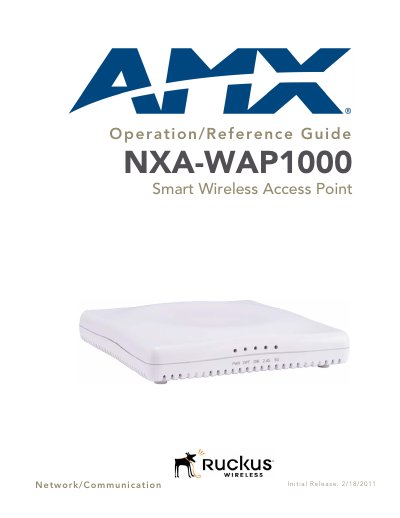
AMX NXA-WAP1000 Smart Wireless Access Point Operation/Reference Guide
This document serves as the Operation/Reference Guide for the AMX NXA-WAP1000 Smart Wireless Access Point, released on 2/18/2011. It provides essential information regarding the product's initial release status and includes detailed sections on network and communication protocols. The guide is intended to assist users in understanding the operational capabilities and reference data for this specific wireless access point model.
Read onlineAMX NXA-WAP1000 specifications
| Dimensions | 1 3/8 in x 7 in x 7 in (36 mm x 178 mm x 178 mm) |
|---|---|
| Weight | 0.88 lbs (397 g) |
| Power input | 110-240V AC |
| Power output | 12V DC, 1.5A |
| Ethernet ports (10/100) | 2 auto MDX, auto-sensing 10/100 Mbps, RJ-45 ports |
| Ethernet ports (10/100/1000) | 1 auto MDX, auto-sensing 10/100/1000 Mbps, RJ-45, PoE port |
| Antenna | Internal software-configurable antenna with over 300 unique patterns |
| Operating frequency | 802.11n: 2.4-2.484 GHz and 5.15-5.85 GHz; 802.11a: 5.15-5.85 GHz; 802.11b: 2.4-2.484 GHz |
| Wireless output power | 26 dBm at 2.4 GHz; 24 dBm at 5 GHz |
| Supported data rates | 802.11n: 6.5-130 Mbps (20 MHz), 6.5-300 Mbps (40 MHz); 802.11a/g: 6-54 Mbps; 802.11b: 1-11 Mbps |
| Operating temperature | 0 to 40 °C (32 to 104 °F) |
| Storage temperature | -20 to 70 °C (32 to 158 °F) |
| Humidity | 15% to 95% (non-condensing) |
| Power source | Power over Ethernet (PoE) via PoE injector or PoE switch |
| LED indicators | PWR, OPT, DIR, 2.4G, 5G |
Source: AMX NXA-WAP1000 Smart Wireless Access Point Installation Guide
All AMX NXA-WAP1000 documents by type
Mounting, wiring and first power-up. Read it before the hardware goes in.
Day-to-day operation, settings and troubleshooting. Start here if the product is already set up.
Questions answered in these manuals
How do I reset the NXA-WAP1000 to factory defaults?
Hold the Hard Reset button for 10 seconds or more to remove configuration changes and restore the factory default configuration; holding it for less than 10 seconds performs a hardware reset.
From: AMX NXA-WAP1000 Smart Wireless Access Point Installation Guide
What are the default login credentials for the NXA-WAP1000 web interface?
The default username is admin and the default password is 1988.
From: AMX NXA-WAP1000 Smart Wireless Access Point Installation Guide
What is the warranty period for the NXA-WAP1000 Smart Wireless Access Point?
AMX warrants its products to be free of defects in material and workmanship under normal use for three (3) years from the date of purchase.
From: AMX NXA-WAP1000 Smart Wireless Access Point Operation/Reference Guide
How long is the warranty for AMX software?
AMX software is warranted for a period of ninety (90) days.
From: AMX NXA-WAP1000 Smart Wireless Access Point Operation/Reference Guide