
Key facts
- Brand
- Advantech
- Model
- PPC-3100
- Industry
- Industrial
- Documents
- 3
- Languages
- ZH · EN
- Last added
- 2026-10-08
Start here
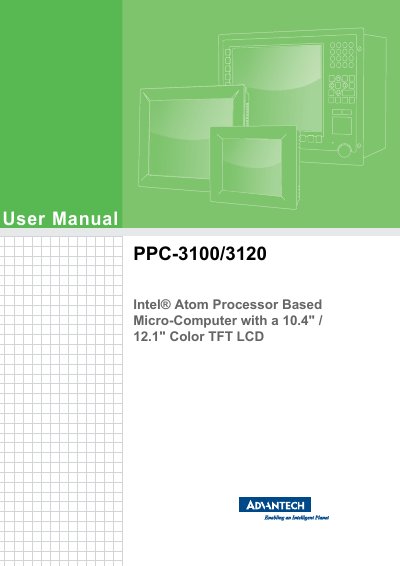
Advantech PPC-3100/3120 Micro-Computer User Manual
This manual provides user operating instructions for the Advantech PPC-3100/3120, a micro-computer featuring a 10.4" or 12.1" color TFT LCD and an Intel Atom processor. It serves as a comprehensive guide for end-users to operate the device safely and effectively.
Read onlineAdvantech PPC-3100 specifications
| Dimensions (W x H x D) | 275.00 x 220.00 x 64.30 mm |
|---|---|
| Weight | 2.6 kg |
| Power Input | DC 12 ~ 30 V |
| CPU | Intel Atom D2550 up to 1.86 GHz |
| Maximum RAM | 4 GB DDR3 SDRAM |
| Storage Interfaces | 2 SATA or 1 SATA + 1 mSATA |
| USB Ports | Up to 4 USB 2.0 ports |
| Ethernet | 2 Giga LAN ports |
| Operating Temperature | 0 ~ 50 °C |
| Relative Humidity | 10 ~ 95 % @ 40 °C (non‑condensing) |
| Impact Resistance | 10 g peak acceleration (11 ms) |
| Certifications | CE, FCC, BSMI, CCC, UL, CB, VCCI |
All Advantech PPC-3100 documents by type
Day-to-day operation, settings and troubleshooting. Start here if the product is already set up.
Questions answered in these manuals
What is the warranty period for the PPC-3100?
The product comes with a two‑year warranty from the date of purchase.
What power input voltage does the PPC-3100 require?
It operates on DC power with an input voltage range of 12 V to 30 V.
How do I obtain warranty service for a faulty unit?
Collect the problem details, call your supplier, obtain an RMA (Return Material Authorization) number, package the unit with the service card and purchase proof, and label the package with the RMA number before shipping.
What safety steps should I follow before cleaning the device?
Unplug the power cord from the outlet before using a damp cloth; do not use liquids or spray cleaners on the unit.
What is the warranty period for this product?
Advantech warrants the product to be free from defects in materials and workmanship for two years from the date of purchase.
How should I clean the equipment?
Disconnect the equipment from the AC outlet before cleaning and use a damp cloth; do not use liquid or spray detergents.