
Key facts
Start here
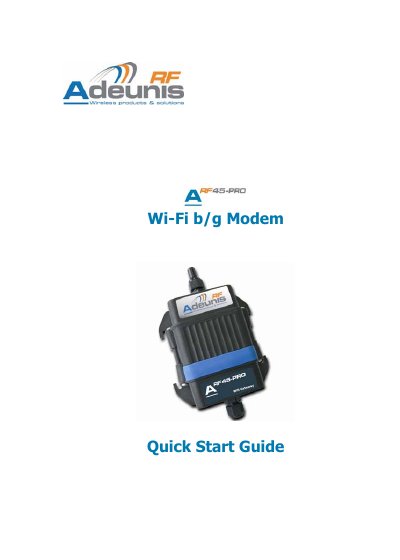
Adeunis ARF45-PRO Wi-Fi b/g Modem Quick Start Guide
The guide provides the necessary steps to set up the ARF45-PRO modem, which ships with default factory settings and complies with the RTTE Directive 99/5/EC (EMC, safety and radio requirements). It also includes the declaration of conformity and product specifications.
Configuration is performed via the embedded web server: connect the modem to a DHCP‑enabled Wi‑Fi access point (no security, SSID "Lantronix Initial Infra Network"), power it on, then open a browser, enter the assigned IP address, and log in with the default credentials (admin / PASS). Data transfer uses the built‑in TCP server listening on port 10001, and the device can be managed through serial, telnet or web interfaces.
ADEUNIS ARF45-PRO specifications
| RF Frequency range | 2.412 – 2.484 GHz |
|---|---|
| Radiated RF power | +15 dBm |
| Sensitivity | -91 dBm @ 1 Mbps |
| Wi‑Fi standards | 802.11b/g |
| Security modes | WEP‑64, WEP‑128, WPA/WPA2‑Personal, WPA/WPA2‑Enterprise |
| Radio data rate | Up to 54 Mbps |
| Power supply | 8 V to 36 V (integrated regulator) |
| Operating temperature | -30 °C to +70 °C |
All ADEUNIS ARF45-PRO documents by type
The shortest path to a working setup, usually only a few pages.
Day-to-day operation, settings and troubleshooting. Start here if the product is already set up.
Questions answered in these manuals
Which TCP port does the modem listen on by default?
The ARF45-PRO acts as a TCP server on port 10001.
What power range is required for the ARF45-PRO?
It operates from 8 V to 36 V using an integrated regulator.
What power supply voltage does the ARF45-PRO require?
It must be powered from a DC source between 8 V and 36 V.
How can the firmware be upgraded?
Firmware can be upgraded by uploading a .romz file via FTP or through the web manager’s Upload New Firmware page.