
User manual for the Zhongxian ZX‑TY043I42S‑0808 4.3" industrial TFT LCD, covering features, wiring, commands and installation.
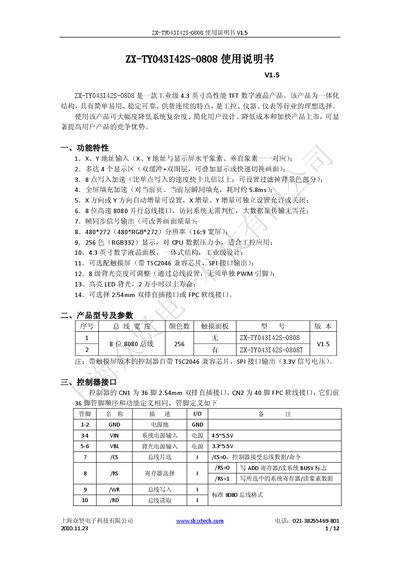
The ZX‑TY043I42S‑0808 is an industrial‑grade 4.3‑inch TFT LCD with a 480×272 resolution and 256‑color RGB332 display. It offers X/Y address input, multiple display zones, fast 8‑point write, full‑screen fill, frame‑sync output and optional touch screen support.
This manual provides detailed functional specifications, connector pin‑outs, parallel‑bus read/write timing, system register functions, automatic address increment modes, graphics layer management, frame‑sync refresh guidelines, reference code examples, mechanical dimensions and application notes. This manual is written in Chinese.
| Display resolution | 480 × 272 pixels |
|---|---|
| Color depth | 256 colors (RGB332) |
| VIN voltage range | 4.5 V – 5.5 V |
| VBL voltage range | 3.3 V – 5.5 V |
| Backlight brightness levels | 8 levels (0‑7) |
| Operating temperature | -20 °C to 70 °C |
| Storage temperature | -30 °C to 80 °C |
| LED lifetime | ≥20 000 hours |
Backlight brightness is set through the bus by writing a level value (0‑7) to the LUM register; no separate PWM pin is required.
Yes, a version with a TSC2046‑compatible touch controller and SPI interface can be ordered (model ZX‑TY043I42S‑0808T).
Detect the falling edge of the SYNC signal and then modify DISP_P or DISP_M; this prevents visible flicker during page switches.