
This manual explains how to use the Zhiwei Electronics HPLC handheld terminal, covering Bluetooth pairing, module testing, fault detection, and network checks.
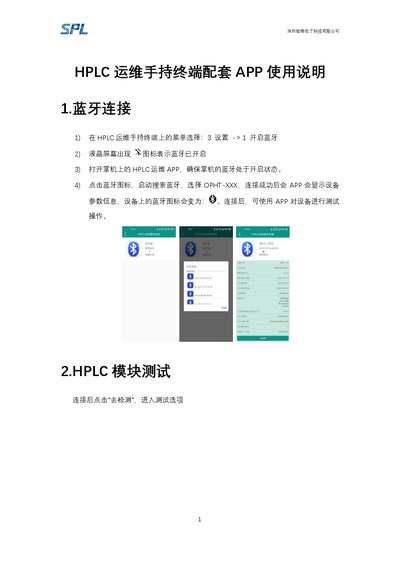
The guide starts with Bluetooth connection steps: enable Bluetooth in the terminal menu, launch the HPLC运维 APP, and pair with the device (OPHT‑XXX). Once connected, the APP displays device parameters and allows testing operations.
It then describes HPLC module testing, whole‑machine fault detection, and network testing (both to a physical concentrator and a virtual concentrator). Detailed functions include reading measurement points, retrieving and setting concentrator parameters, performing concurrent meter reading, and upgrading module firmware. This manual is written in Chinese.
| Companion App | HPLC运维 APP |
|---|
Insert the module into the fixed slot, choose “HPLC检测 → 载波模块检测”, set the module type and other parameters, then start the test.
Connect the terminal’s power cable to the machine’s live and neutral wires, select “HPLC检测 → 整机故障检测”, obtain the meter address with the infrared probe, set parameters, and start the test.