
The Yutong YT‑SD602 controller manual provides an overview, hardware setup, parameter configuration, and usage instructions.
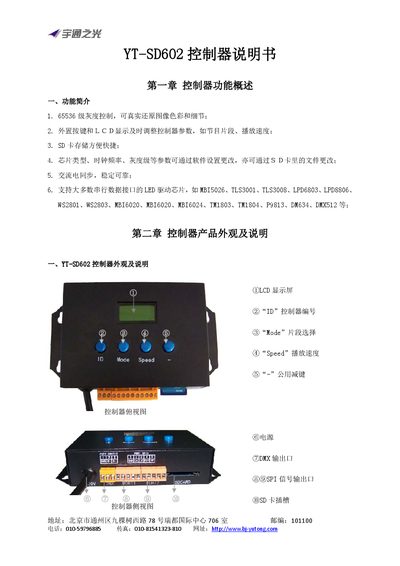
This manual introduces the YT‑SD602 controller, describing its functions such as 16‑level grayscale control, external keys with LCD display, SD‑card storage, and compatibility with many LED driver chips. It also details the physical layout, connector pinouts, and basic specifications like power supply (220 VAC) and dimensions (157 mm × 90 mm × 34 mm).
The guide walks users through software setup with Easy Player, network configuration, wiring, hardware parameter settings, and two methods for parameter modification (software write‑back and Config.ini file). A simple application example and special notes for specific driver chips are included to help users achieve reliable synchronization and optimal performance. This manual is written in Chinese.
| Control Color | RGB three‑primary full‑color display |
|---|---|
| Control Points | 1024 pixels (DMX 170 pixels) |
| Output Interface | Synchronous serial shift data, compatible with DMX512 (cannot output simultaneously) |
| Grayscale Levels | 16‑level to 65536‑level |
| Power Supply | 220 VAC |
| SD Card Capacity | 1 GB (factory default) |
| Dimensions | 157 mm × 90 mm × 34 mm |
| Connector Types | 5‑pin terminals ×2, 3‑pin terminal ×1 |
Edit the Config.ini file and set the "bright" parameter, e.g., bright=100% for full brightness.
The controller comes with a 1 GB SD card as standard equipment.