
VMware Workstation 5.5 is desktop virtualization software that runs multiple operating systems on a single PC, offering snapshots, virtual networking and…
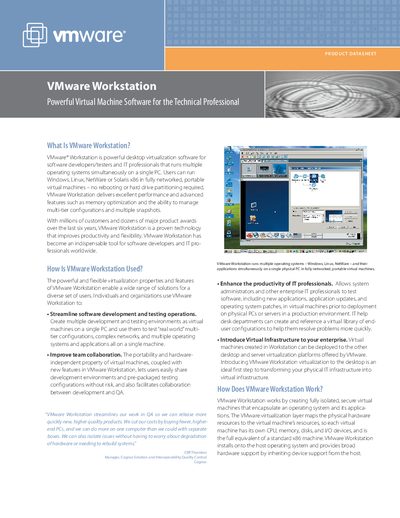
VMware Workstation 5.5 is a powerful desktop virtualization solution for developers, testers and IT professionals. It lets users run Windows, Linux, NetWare or Solaris x86 in fully networked, portable virtual machines on a single PC, enabling streamlined development, testing, training and IT administration.
The product includes features such as multiple snapshots, virtual networking, shared folders and USB device support. System requirements cover a 500 MHz or faster CPU, at least 128 MB RAM, and 150 MB free disk space for Windows hosts. It supports a wide range of host operating systems (Windows 2000/XP/Server 2003 and major Linux distributions) and guest OSes (various Windows, Linux, BSD, NetWare and Solaris versions).
| CPU speed | 500 MHz recommended, 400 MHz minimum |
|---|---|
| Memory | 128 MB minimum (256 MB recommended) |
| Disk space for installation | 150 MB (Windows hosts), 80 MB (Linux hosts) |
| Supported host operating systems | Windows 2000/XP/Server 2003, popular 32‑bit Linux distributions |
| Supported guest operating systems | Various Windows, Linux, BSD, NetWare and Solaris versions |
| Maximum VM memory | Up to 3.6 GB per VM |
| IDE devices per VM | Up to four IDE devices (disk, CD‑ROM, DVD‑ROM) |
| Virtual Ethernet cards | Up to three per VM |
| USB controller | Two‑port USB 1.1 UHCI controller |
It streamlines software development and testing, improves IT professional productivity, enables virtual training and demos, and reduces hardware costs.
A 500 MHz or faster CPU, at least 128 MB RAM (256 MB recommended), and 150 MB free disk space for Windows hosts (80 MB for Linux hosts).
Supported guests include Windows Server 2003, Windows XP, Windows 2000, Windows NT, various Linux distributions, FreeBSD, NetWare, and experimental support for Solaris and Vista.