
Videoporama V0.5 Images2dv-GUI User Manual

User manual for Videoporama V0.5, a software application for creating image slideshows in various video formats including DV, VCD, and DVD.
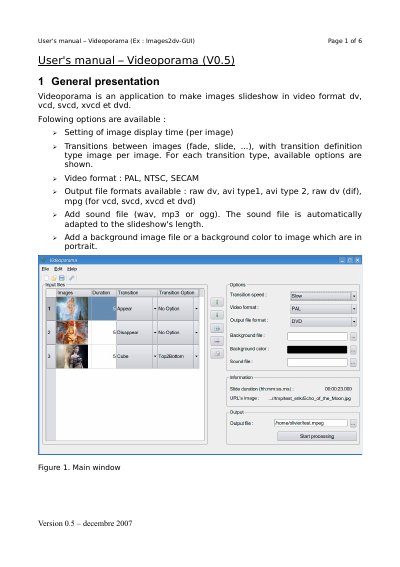

Videoporama V0.5 Images2dv-GUI User Manual - cover page
Brand
Videoporama
Category
Other software
Document type
User Manual
Language
English
Pages
6
File format
PDF
File size
287 KB
Published
28 October, 2026
Updated
28 October, 2026
MD5 checksum
1C86FEE0651258D1EDE8C46247BD319F

About this manual

Videoporama V0.5 is an application designed to create image slideshows in various video formats such as DV, VCD, SVCD, XVCD, and DVD. Key features include setting image display times, defining transitions between images (such as fade, slide, cube, and push), selecting video standards (PAL, NTSC, SECAM), and adding sound files or background images/colors.

What's inside

  • General presentation
  • Add or remove images
  • Definition of slideshow's options
  • Export of the projet
  • Transition's type
  • Configuration
  • Installation

Frequently asked questions

What video formats does Videoporama V0.5 support?

The application supports PAL, NTSC, and SECAM video norms.

Which output file formats are available for the slideshow?

Users can export to raw dv, avi type 1, avi type 2, raw dv (dif), mpg, vcd, svcd, xvcd, or dvd.

What are the accepted sound file formats?

The software accepts wav, mp3, or ogg files for adding sound to the slideshow.

Download PDF (287 KB)