
TC Electronic Ditto X2 Looper User Manual

This manual provides instructions for setting up, operating, and maintaining the TC Electronic Ditto X2 Looper pedal, including loop creation, effects…
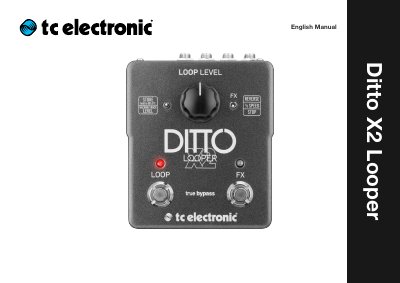

TC Electronic Ditto X2 Looper User Manual - cover page
Brand
TC Electronic
Category
Other Electronics
Document type
User Manual
Language
English
Pages
26
File format
PDF
File size
3 MB
Published
17 October, 2026
Updated
17 October, 2026
MD5 checksum
B1AC25D91F0F467AB7BDA1CB08FE07A8

About this manual

The TC Electronic Ditto X2 Looper is a looping pedal that serves as an upgrade to the original Ditto Looper. It features a user interface with two footswitches for controlling loops and triggering effects such as Reverse and Half speed. The device supports stereo inputs and outputs, allowing for complex signal routing and backing track creation.

What's inside

  • Important safety instructions
  • Explanation of graphic symbols
  • About this manual
  • Setup
  • Setup examples
  • Inputs, outputs, controls
  • Creating loops
  • Storing, importing and exporting loops
  • Using effects
  • Updating the firmware

Specifications

Looping timefive minutes
Audio quality24 bit uncompressed
Power input9V DC
Power requirementminimum of 100 mA
Battery optionone or two 9V batteries

Frequently asked questions

What happens if I double-tap and hold the LOOP footswitch?

It stops playback and clears the loop.

What is the maximum looping time for the Ditto X2 Looper?

The device provides five minutes of looping time.

What power supply specifications are required for the Ditto X2 Looper?

You must use a 9V power supply delivering a minimum of 100 mA.

What type of cable is needed to connect an instrument to the Ditto X2 Looper?

Connect your instrument using a ¼" jack cable.

Download PDF (3 MB)

More TC Electronic Manuals


View all TC Electronic manuals →