
The Takex F70 Series digital display fiber optic sensor manual provides functions, specifications, and operation instructions.
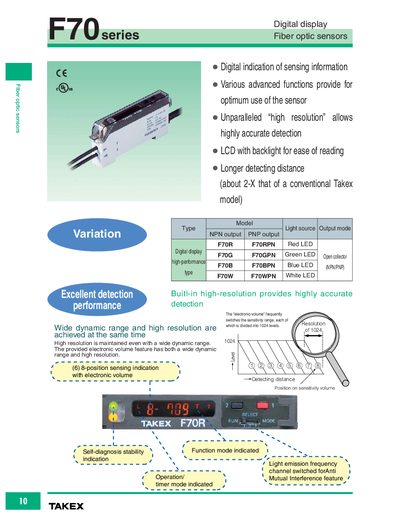
The F70 Series digital display fiber optic sensors offer high‑resolution detection with an electronic‑volume feature that delivers a wide dynamic range while maintaining accuracy. The LCD with backlight and multiple LED light sources (red, green, blue, white) enable easy reading in various lighting conditions.
The manual describes multiple teaching modes (full auto, 2‑point, positioning, maximum sensitivity) and auto‑sensing functions that compensate for dust or water drops. Timer functions, hysteresis adjustment, and anti‑mutual‑interference features allow flexible integration into automation systems.
| Sink current (NPN output) | 50 mA (30 VDC max.) |
|---|---|
| Source current (PNP output) | 50 mA (30 VDC max.) |
| Delay time (selectable) | 10‑120 ms (default 40 ms) |
| Light emission frequency channel 1 | 600 µs max |
| Operating temperature (1‑3 units) | 25‑55 °C |
| Storage temperature | -40 °C to 70 °C (non‑freezing) |
The F70 series provides a longer detecting distance, about twice that of a conventional Takex model.
Press the teach button; the sensor automatically records the maximum and minimum data of the moving object and displays it after teaching is completed.
Yes, the auto‑sensing function continuously monitors received light and automatically adjusts the activation level to maintain stable detection.
Delay times can be set to 10, 20, 40, 60, 80, 100, or 120 ms, with a default of 40 ms.