
User manual for the Surpon SPA-300DE rail‑mounted DC energy meter, covering installation, wiring, settings and Modbus communication.
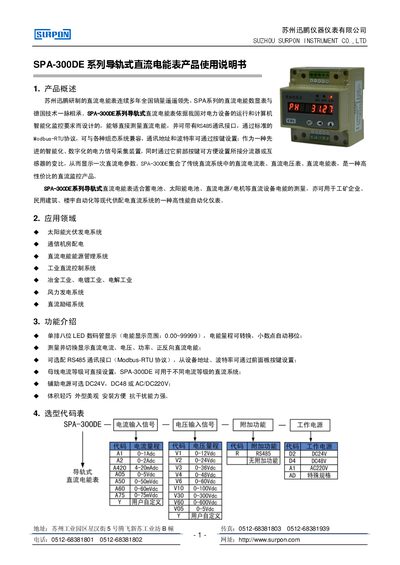
The SPA-300DE series is a rail‑mounted DC energy meter designed for measuring and monitoring DC power in applications such as solar PV, battery systems, and industrial DC control. It features a 8‑digit LED display, optional RS485 Modbus‑RTU communication, and configurable current and voltage ranges.
The manual provides product overview, application fields, technical specifications, mechanical dimensions, wiring diagrams, panel operation, parameter configuration, and detailed Modbus communication protocol information. This manual is written in Chinese.
| Input Voltage Rating | 0~1000 Vdc (customizable) |
|---|---|
| Current Input Rating | 0~2 Adc (customizable) |
| Operating Temperature Range | 0 ℃ ~ +55 ℃ |
| Storage Temperature Range | -25 ℃ ~ +70 ℃ |
| Relative Humidity | 93 %RH at 40 ℃ (no condensation) |
| Dimensions (L×W×H) | 75 mm × 89 mm × 74 mm |
| Weight | ≈ 400 g |
| Communication Interface | RS485 Modbus‑RTU, 300–19200 bps, address 1–254 |
The address (1‑254) is set via the front‑panel keys; press the SET key and the arrow keys to adjust the address value.
The meter can be powered by AC/DC 85‑265 V, DC48 V, or DC24 V, with a power consumption of less than 3 VA.