
User guide for the Stratasys Dimension BST 1200 and SST 1200 3D printers, covering setup, operation, maintenance, and troubleshooting.
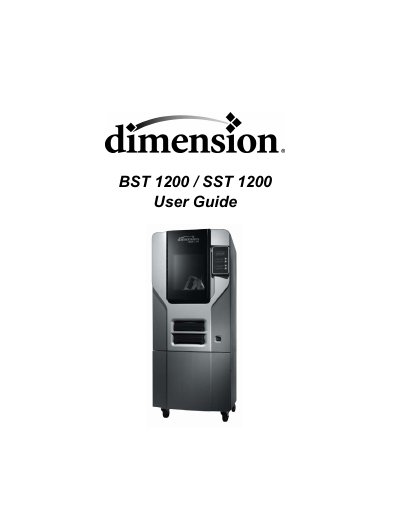
This User Guide describes the Stratasys Dimension BST 1200 / SST 1200 3D printer. It is laid out in sections covering Set-up, Operation, Maintenance, and Troubleshooting, with step-by-step procedures and NOTE, WARNING and CAUTION callouts. The introductory sections explain that the system models with ABS plastic and uses either Breakaway Support Technology (BST) or Soluble Support Technology (SST), and that operations are guided from a User Interface on the printer's front panel.
The guide walks through workspace and unpacking, power connections, inserting a modeling base, installing software, and networking the printer. Operation chapters cover the display panel and keypad, loading and unloading material, building a part from a CAD file, pausing, resuming and canceling a job, and removing a completed part and its support material. Maintenance tasks are grouped as after each build, 500 hour, 2000 hour, and as-needed procedures, and the troubleshooting section includes a checklist, fault determination codes, and recovery from loss of extrusion.
| Modeling material | ABS plastic |
|---|---|
| Support technology | Breakaway Support Technology (BST) or Soluble Support Technology (SST) |
| EU standards conformity | EU 89/392/EEC, EU 98/37/EEC, EU 73/23/EEC amended by 93/68/EEC, EU 89/336/EEC |
The system models with ABS plastic, which makes modeled parts strong and durable and lets you drill, tap, sand, and paint them.
They are the two support technologies used with the system: Breakaway Support Technology (BST) and Soluble Support Technology (SST).
The Troubleshooting section provides a Troubleshooting Checklist, Fault Determination Codes, and procedures for diagnosing and recovering from a Loss of Extrusion.