
User manual for STM32 Nucleo development boards covering hardware layout, power supply, connectors, and quick start.
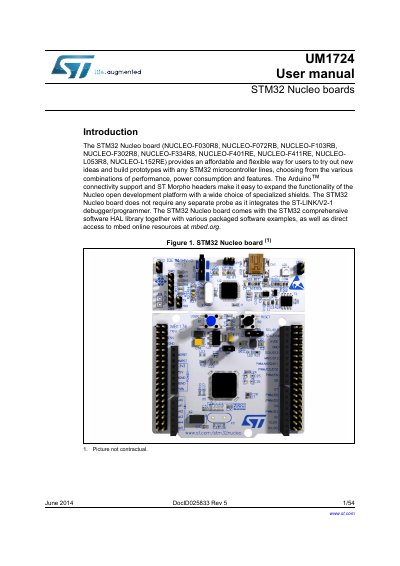
The STM32 Nucleo board provides an affordable and flexible way to try out ideas and build prototypes with STM32 microcontrollers in an LQFP64 package. It includes Arduino Uno Revision 3 connectivity, STMicroelectronics Morpho extension pin headers, and an on-board ST-LINK/V2-1 debugger/programmer.
The manual covers ordering information, quick start steps, system requirements, features, hardware layout and configuration, power supply options, LEDs, push buttons, oscillator clocks, USART communication, solder bridges, extension connectors, mechanical drawings, and electrical schematics.
| MCU package | LQFP64 |
|---|---|
| Extension connectivity | Arduino Uno Revision 3 |
| Extension headers | STMicroelectronics Morpho |
| Power supply input | USB connector |
| External VIN range | 7 V to 12 V |
| External 5 V supply | E5V |
| External 3.3 V supply | +3.3 V |
| User LEDs | 3 (LD1, LD2, LD3) |
| Push buttons | USER and RESET |
| LSE crystal | 32.768 kHz |
| USB interfaces | Virtual COM port, mass storage, debug port |
Check that JP1 is off, JP5 (PWR) is on U5V, JP6 is on (IDD), and CN2 is on (NUCLEO), install the Nucleo USB driver, then connect the board to a PC with a USB cable.
A Windows PC (XP, Vista, 7, 8) and a USB type A to Mini-B USB cable.
Yes, it integrates an on-board ST-LINK/V2-1 debugger/programmer.
Arduino Uno Revision 3 connectivity and STMicroelectronics Morpho extension pin headers.