
Sony NWZ-W273 Walkman User Guide

This manual provides instructions for installing software, operating the Sony NWZ-W273 Walkman, and troubleshooting common issues.
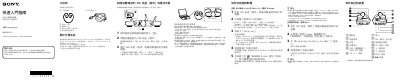

Sony NWZ-W273 Walkman User Guide - cover page
Brand
SONY
Category
Other Electronics
Document type
User Manual
Language
Chinese
Pages
2
File format
PDF
File size
701 KB
Published
10 October, 2026
Updated
10 October, 2026
MD5 checksum
86326B3BD461F0C876262433D5213F45

About this manual

This document serves as a quick start guide for the Sony NWZ-W273 Walkman. It details how to install the included WALKMAN Guide and Media Go software on Windows or Mac computers using the provided USB dock. The guide also lists the contents of the package, including the device, earphones, strap, and documentation. This manual is written in Chinese.

What's inside

  • Contents
  • Installing Software (Windows)
  • Installing Software (Mac)
  • Charging Precautions
  • Turning Power On/Off
  • Playing Music
  • Troubleshooting
  • Precautions

Frequently asked questions

How long does it take to fully charge the Walkman?

It takes approximately 1.5 hours to fully charge the battery when connected via the USB dock.

What should I do if my computer cannot recognize the Walkman?

Ensure the device is correctly and firmly connected to the USB dock, check if the battery needs charging, or restart your computer.

Download PDF (701 KB)

More SONY Manuals


View all SONY manuals →