
This quick start guide covers setup, data transfer, battery charging, and basic operation for the Sony NWZ-E435F/E436F/E438F digital audio/video player.
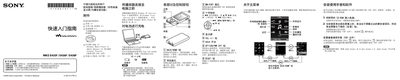
This document serves as a quick start guide for the Sony NWZ-E435F/E436F/E438F digital audio/video player. It provides instructions on setting up the device, charging the battery, and transferring data between the computer and the player. The guide also lists the included accessories and required software. This manual is written in Chinese.
| Current rating | 500 mA |
|---|
The player requires Windows XP (Service Pack 2 or higher) or Windows Vista (Service Pack 1 or higher) with Windows Media Player version 10 or 11 installed.
The computer must run Windows XP (Service Pack 2 or higher) or Windows Vista (Service Pack 1 or higher).
You need Windows Media Player version 10 or 11, and Adobe Reader or Acrobat Reader 5.0 to view the manual.
You should charge the battery at least once every 6 to 12 months.